
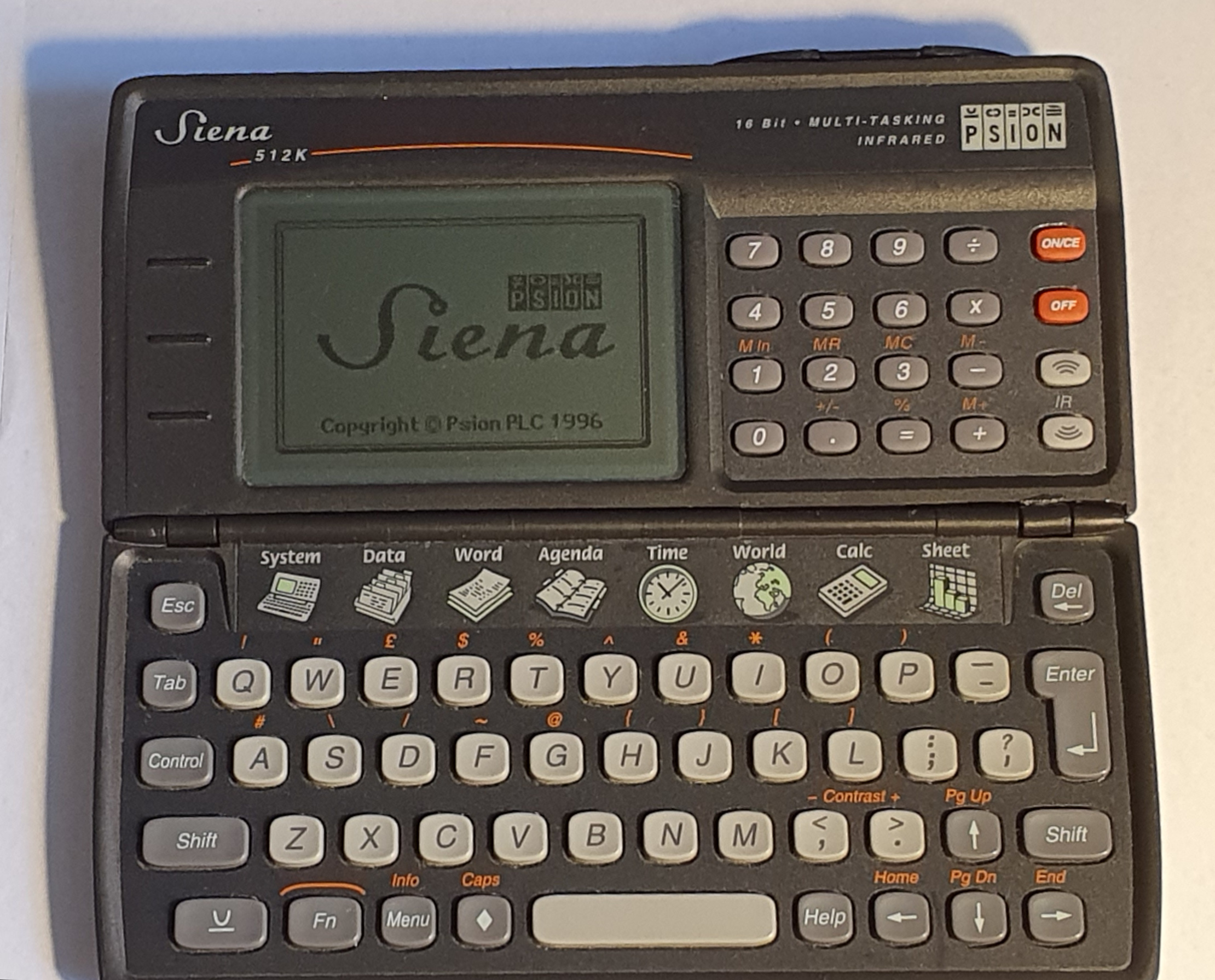
Psion Siena
Psion’s Series 3 (and the Organiser and Organiser II before it) were considered premium machines, and priced accordingly. In order to get into lower price brackets, in 1996 Psion released the Siena (and did the low price thing again later to the Series 5 with the Revo).
They didn’t skimp on the software quality, though.
Hardware
The Siena was made by Psion to be a budget machine within it’s Series 3 line-up, and as such it has a smaller display, no SSD slots and reduced RAM. Two versions were released: one with 512KB of memory and the other with 1MB. I have the former.
The clamshell of the Siena contains a much simpler hinge mechanism than the Series 3. Unlike the Series 3, it employs a clip to hold it closed. When fully opened, the case in gently held in the open position by a spring clip (hidden inside the mechanism).
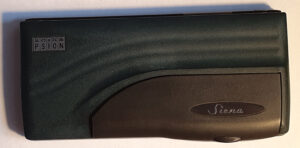
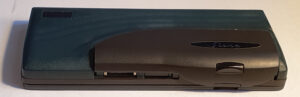
When unclipped, the infrared IrDA port and the serial RS-232 port are revealed beneath an accent part of the case. The RS-232 cable is, handily, the same as the one for the Series 3c (which is the same as that for the Series 5).
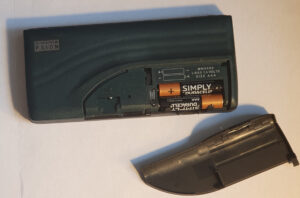
Also revealed is a pushbutton which releases the flap entirely. Beneath the flap are the batteries. Also unlike the Series 3, power for the Siena comes in the form of two AAA batteries and a CR1620 backup battery (to keep the memory alive when changing the AAA’s). There is no power jack.
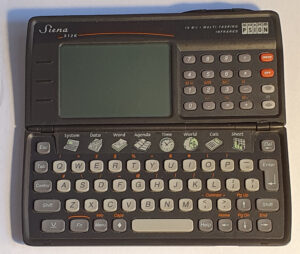
The keyboard on the Siena has three distinct areas to it. Firstly is the qwerty area with Series 3 calculator-style keys. This has a cut-out where the number keys would normally live, in which are the membrane application keys. These are also similar to those on the Series 3 but fixed in place. To the right of the screen is a numeric keypad. These keys are more like the rubber keys you would find on a remote control.
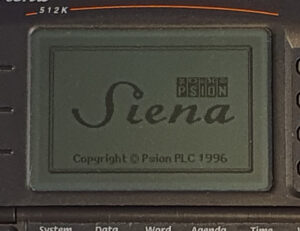
The screen on the Siena is smaller than the one you would find on the Series 3a or 3c. It’s actually the same width (in pixels) as the original Series 3 but taller (again, in pixels). This makes it more of a 4:3 aspect ratio than the widescreen Series 3. The software had to be modified from the 3c to work with this shape and size.
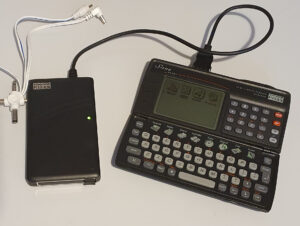
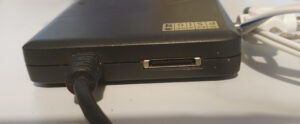
Remember how I said that there was no SSD drive on the Siena. That should have more accurately been no internal or included SSD drive. A drive is available which plugs into the RS-232 connector. On the back it contains a pass-through serial port. It needs external 9V power, though, so it’s not really portable.
According to The Last Psion blog, it uses extra pins on the connector, not RS-232, and they’re not passed through.
One oddity I found in my research is that the internet (even Wikipedia) insists that the Siena has a microphone, but there is no sign of one and no onboard sound editing software. Psion did introduce the feature on the Series 3c though.
Summary
- CPU: NEC V30H running at 7.68MHz.
- RAM: 512KB / 1MB.
- ROM: 512KB.
- Display: 240×140 LCD, no backlight, monochrome (with one shade of grey).
- Power: 2xAAA, CR1620 backup, no external power socket.
- IrDA.
- RS-232 Serial port.
- Keyboard: calculator-style qwerty, rubber remote control-like number pad, membrane application keys.
- No built-in SSD slots (available through an external add-on.)
- Plain hinge (which holds itself open with a slight click).
Software
The Siena, being a cut-down version of the Series 3 range contains surprisingly similar versions of software to the Series 3c. Much is missing though: the spell checker, thesaurus, sound recorder, file manager, comms program and patience game. All the essentials are there though, even the word processor and the spreadsheet.
With the smaller screen, the menu bars are shorter and as such, menus are often rearranged to include all the same options, often in sub-menus. The spell checker and thesaurus options are, of course, missing from Word but apart from that the two are very similar in function.
One thing not missing, of course, is the built-in OPL programming language.
Summary
- System – program manager and control center.
- Data – flat file database.
- Word – word processor.
- Agenda – time planner, with alarms and repeats, and to-do list.
- Time – clock with daily alarms.
- World – world times.
- Calc – till-roll calculator / scientific calculator.
- Sheet – spreadsheet.
- Program – the OPL programming language.
Summary
The Siena, unlike most of the Psion machines, was probably built to a price point. You can tell that it doesn’t quite match the quality and finish of the Series 3 machines, which it is clearly meant to be part of. The lack of SSD slots is a bit of a let down, but the purchase of an external drive fixes that (and it works well).
Psion didn’t skimp where it really mattered, though. The software. Although slightly smaller in scale than the 3c, it’s still excellent. You still have the word processor and the spreadsheet on top of the expected address book (in the form of Data) and time planner (Agenda). You even get a thrown-in programming language.
If you didn’t have the budget for a Series 3c then you wouldn’t be missing a huge amount by opting for a Siena.
Repairs etc.
When I got my first Siena, it suffered from a brittle plastic shell which had broken in places, like the clasp and one of the hinges. Apart from the hinge and clasp, nothing serious was damaged and most of the pieces were present. I managed to repair most of the damage but the removable accent flap was too far gone to clip shut any more (or even stay in place).
I cleaned up the slight corrosion that had occurred on the top board and glued back on the bits of plastic that had broken from the edges (not really visible).
In order to fix the clasp, I bought another Siena. When I got it the batteries had leaked and turned many tracks green. What I wanted it for, though, was the accent cover – it was black rather than dark green, but that didn’t matter too much. The flap was in better condition than the other but still had a broken hinge/lever and it was missing – it works well enough with what left and the other hinge/lever, though.
I cleaned up what I could of the circuit board on that one, but the screen was beyond my ability to repair. When I came to write this review I tried it again but it didn’t even power up.
To-Do
- Add the external SSD drive to this review (after it arrives).- I did that 😉
- Find a machine that will talk to the IrDA port (the Series 5 just says it’s incompatible).
- Try out some other software.
What’s the experience using it relative to the 3 and 5 series. For example, is it easier to hold in your hands and type with your thumbs (without being imbalanced) than the 3 series? Or do all of them really require you to rest it on a flat surface (like the series 5) to use effectively?
Hi, sorry the reply took so long, WordPress doesn’t prod me about comments, apparently. I’ll have to look into that.
Regarding thumb-typing: I just took out my Siena, Revo, Series 3mx and Series 5 to have a look. Interestingly, The Revo is more like the 3’s for thumb typing than the 5. I find that the battery-back section on the 3 and the Revo, when it’s open, folds down to form a handy finger hold. With the Series, the act of opening it slides the keyboard down thus making it longer and leaving the base (for the most part) flat. I find I have to balance the weight by holding it further back from the keyboard making thumb-typing harder. There if also no convenient sticky-downy battery compartment either finger holder either so more conscious care has to be taken.
The Siena is worse though as the screen is heavier than the keyboard (especially with batteries fitted) and has keys on it too. There’s nothing to hold onto either, so I find myself pressing the sides of the bottom keyboard with my hands and that position makes reaching the keypad on the top and the keys to the edges a bit fiddlier, though by no means impossible.
I re-read your message. A quick comment about using it on a desk. Of course, all the other models work well like that, but the Siena, being top-heavy isn’t great. Mine has an issue staying open which I suspect isn’t by design (I think it’s supposed to click and stay open). That would help as the entire back surface is mostly in a straight line when it’s open all the way. I suspect pressing the number keys when against a table isn’t a good experience even when locked open.
Hope that answers your question 😉