
Psion Revo/Revo Plus
Hardware
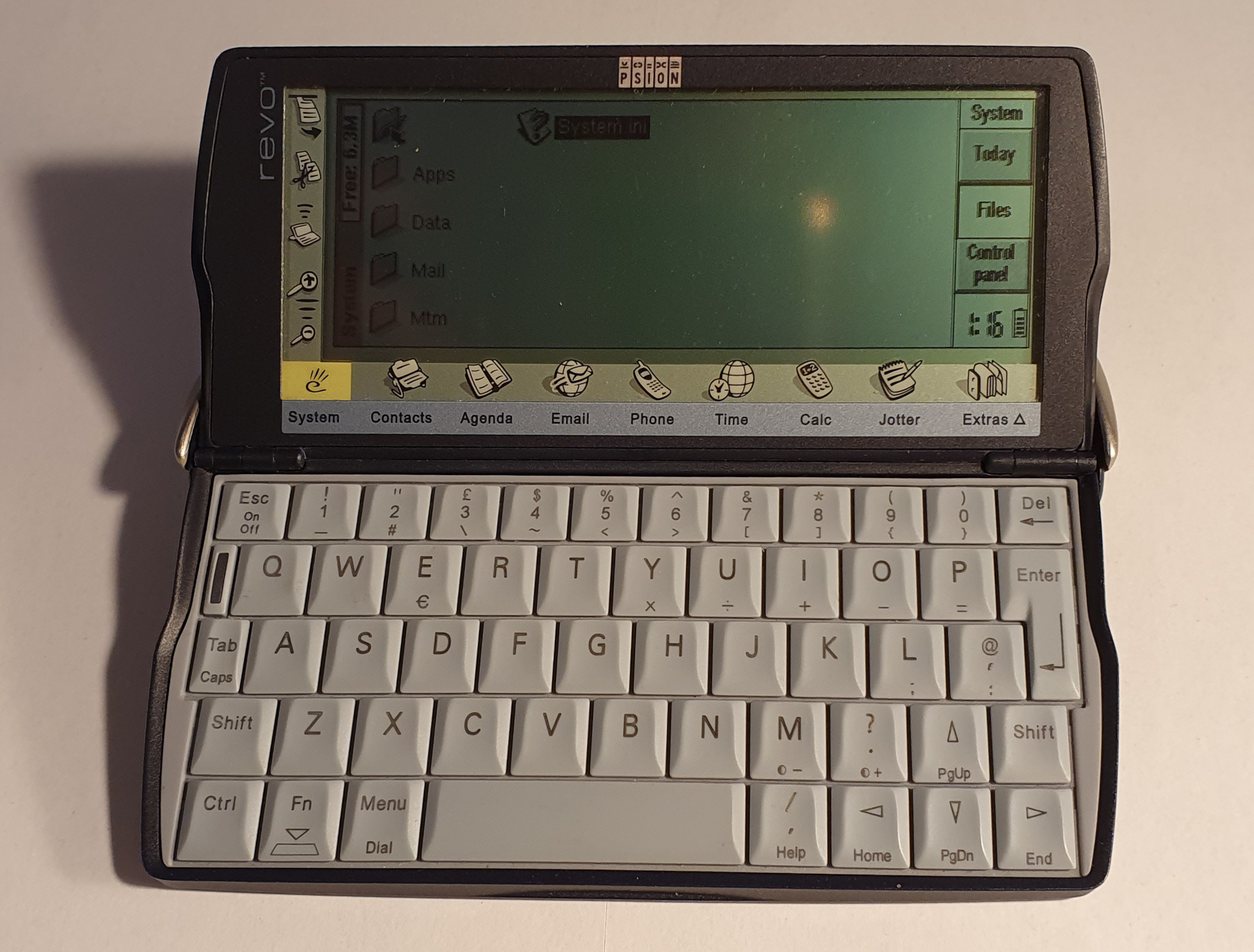
The Revo is a member of Psion’s Series 5 range of palmtop computers. It is intended to be a cut down version of the 5mx. In that regard it is smaller, has a lower resolution screen and a cheaper keyboard (which doesn’t feel as good). It also features built-in rechargeable batteries.
The Revo Plus is essentially the same machine with more memory and a larger capacity battery.
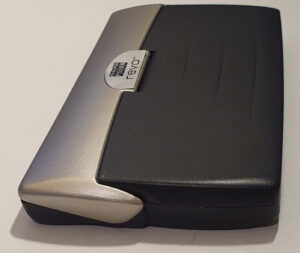
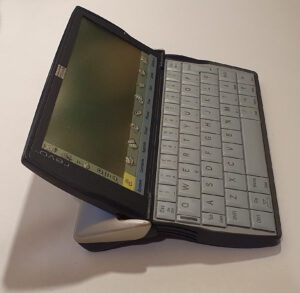
The hinge mechanism on the Revo outwardly behaves more like a Series 3 hinge than a Series 5 one.
The 2 internal NiCd AAA batteries are housed in the back, just like the 3 and 5, but they are not easily changed.
As the Revo is opened, the back section hinges down slightly to raise the typing angle. Unlike the Series 3, this is achieved in a sliding fashion rather than a hinge.
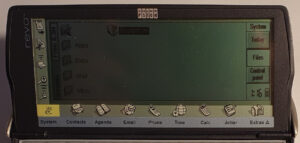
Also, unlike the Series 3, there is no membrane application button bar. Instead, like the Series 5 there are touch buttons beneath the LCD in a fixed, printed region of the touch digitiser.
The Revo screen is more akin to the Series 5 than the Siena is to the Series 3c. It’s aspect ratio is very similar but pixel density is lower – 3/4 the pixels horizontally and 2/3 vertically. This necessitated some changes to the software, especially the soft-buttons.
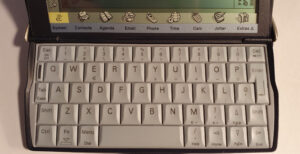
The keyboard of the Revo, as I mentioned, is a cheaper affair than that of the Series 5 but in a similar style. The keys are more rubbery, less clicky, and have less travel. They also depress only at the top, being hinged on the bottom edge. Having said that, the feel isn’t completely awful.
The ports on the Revo are mostly on the back, in the form of a power jack and IrDA window.

Main connectivity to the Revo, however, comes from the docking port on the bottom. This is used by the included docking cradle which provides RS-232 serial and power input. The power is taken from the same power supply (also included) that connects to the back of the unit itself.
The connector for the dock is hidden when the device is closed and therefore the Revo must be open when docked.
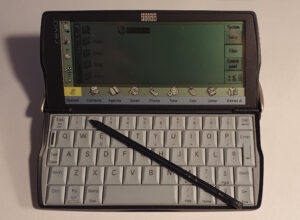
The dock also has a place to stand the stylus even though the internal slot for it is not completely obscured by the dock.
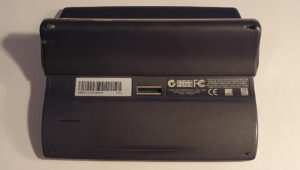
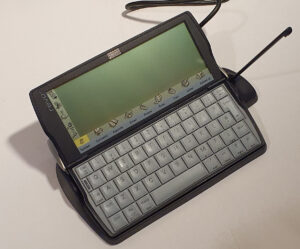
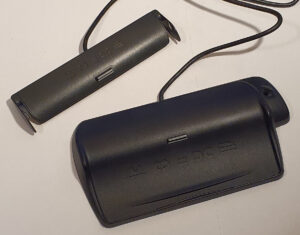
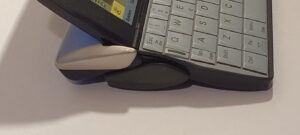
The Revo I got from eBay came with a second dock. I believe that this is not normally sold with the device.
It’s much smaller and actually clips onto the sides of the Revo.
The cable is fixed into it, in the same way as the main dock, and you can plug the power supply into the back of the RS-232 connector, too. The cable length is much shorter though.
Since it attaches to the same docking port, you also have to keep the Revo open.
Summary
- CPU: ARM 710T running at 36.864MHz.
- Display: 480×160 pixels, grey scale.
- Touch screen with 6 dedicated application icons and 5 command buttons.
- ROM: 8MB.
- RAM: 8MB (Revo) or 16M (Revo Plus).
- Keyboard: not great qwerty keys.
- Power: Built-in 2xAAA NiMH, 6V DC barrel jack to charge.
- IrDA.
- RS-232 serial port (through included dock).
- Internally housed stylus.
- Docking cradle (for RS-232 and alternative power input).
- 6V DC power supply (connects to the Revo or the Dock).
Software
The revision of the operating system on the Revo is 1.06(320). It’s a slightly newer version than the Series 5mx‘s 1.05(250). The Revo plus is slightly newer again with 1.06(390) although I suspect that’s probably just a bug fix release, or even just some tweaks for the larger memory.
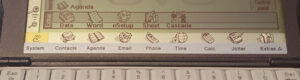
The applications built into the Revo are similar to those found on the Series 5mx.
The System screen on the Revo is similar to that on the Series 5 or 5mx. It’s predominantly a file browser and control panel. The soft-buttons on the right are fewer and different though.
The System application also has a new Today feature. This gives a summary of appointments and to-do lists along with a battery usage summary, link state and memory used.
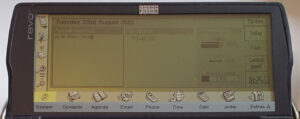
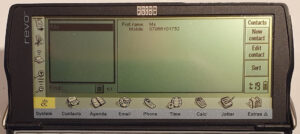
Another new application on the Revo over the Series 5 is Contacts. This is a more fine-tuned application than Data, which is also included. It also feeds into the Phone app which uses a modem to place calls whereas Contacts uses DTMF through the speaker.
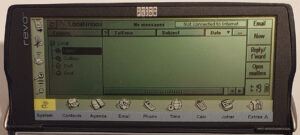
The internet was getting going when the Revo was released and Psion didn’t want to miss out. A built-in Email program was included and also the means to configure dial up networking. A web browser was also included on CD, but not on the ROM.
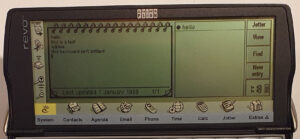
The Series 3c included a program called Jotter, the Series 5 included Sketch. The Revo went back to Jotter – a more sophisticated version than on the 3c but without any on the Sketch functionality. I find it odd that sketch drawing is missing since the touch screen lends itself to that nicely.
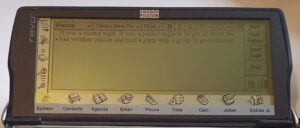
The Revo word processor, Word, is very similar to that of the Series 5 but without the ability to insert sketches or spell check. It does have an outline view, though. It’s a pretty decent word processor with styles, fonts and the ability to embed spreadsheets and charts and so on.
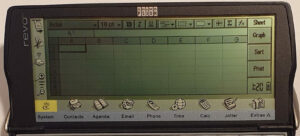
Sheet, the spreadsheet, is also full featured, including data sets and graphs. It seems to be the same as the version on the Series 5 (apart from the soft buttons on the right, of course).
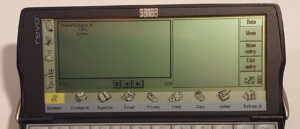
Data on the Revo seems to be the same as the version on the Series 5, too. The default field names are different, though, since the Revo has the Contacts program.
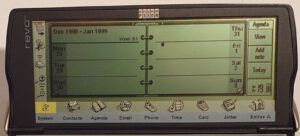
Agenda on the Revo has been adjusted slightly. The year planner view has been replaced with a Busy view (probably to take account of the smaller screen resolution). The Series 5 voice notes have been replaced by text notes. Apart from that all the other features are present: to-do’s, repeats, alarms, etc.
The other applications are Time: daily alarms and world clock; Calc: a decent calculator; and Cascade: a game where you match two or more bubbles of the same shade.
Summary
- System – file manager and control centre.
- Contacts – contact manager.
- Agenta – time planner with alarms, repeats and to-to.
- Email – electronic mail client.
- Web browser on CD.
- Phone – phone number dialler (takes info from Contacts.)
- Time – world times and daily alarms.
- Calc – desktop and scientific calculator.
- Jotter – note jotter.
- Data – flat-file database.
- Word – word processor.
- eSetup – internet setup wizard.
- Sheet – spreadsheet.
- Cascade – match the coloured (shades of grey) balls game.
Summary
Psion did a good job when they made the Siena – it was a cut-down version of the Series 3c. The Revo was a cut down version of the Series 5 (probably more like the 5mx). This time, although the screen was lower resolution than that on the 5/5mx it was much closer to it than the Siena was to the Series 3.
Again, the software was still top-notch. The lack of anything like Sketch (a drawing program) was a bit of a shame given the touch screen. The lack of a microphone wasn’t much of a loss though, to me. I’ve never found dictaphone-like functionality useful. The spell checker and thesaurus present on the Series 5 are also not a huge loss.
One thing I do find missing is the compact flash slot, present on the Series 5. The Siena has an external SSD drive (the data drives of the Series 3’s). It needs to be plugged in to work, so it’s of limited use. To my knowledge, the Revo has no equivalent.
The keyboard on the Revo is definitely cheaper and thus worse than the Series 5 keyboard. The one on the Series 5 is a nice keyboard. The Revo one isn’t terrible, though.
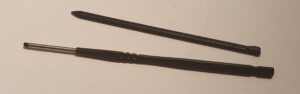
The stylus on the Revo is a simple plastic stick, unlike the elegant plastic and metal sculpted affair of the Series 5. It’s perfectly serviceable, though.
All-in-all, the Revo is a cheaper and smaller Series 5 but Psion never liked to skimp on their software.
Repairs etc.
The batteries on the Revo were definitely an issue. After about three years, they have to be replaced. This isn’t a difficult task but it certainly isn’t one for most consumers. It involves some tricky case dismantling, fiddly spring disconnecting and the use of a soldering iron. I’ve done it but I broke part of the hinge mechanism of my Revo in the process. The springs hold it close to where it should be anyway. I’ll have to think about how to better fix it…
I also have a problem where when drawing more power, for example when playing sound, causes the Revo to switch into standby. This is a known problem with early machines. It seems to be related to the connector attached to the batteries – on mine the red wire seems to be tarnished which might be intermittently causing some resistance. I think I might try to get a replacement connector (when I work out which part I need).
More recently I purchased a Revo Plus. This also had battery problems. They had leaked and damaged the small board at the back which the battery connects to. It also contains the IrDA port and battery input. I had to neutralise the alkaline battery juice that corroded that board as it had also started to arrive in other places too. I bought a donor machine in order to get a replacement board and now the machine works well.
To-Do
- Fix battery connector.
- Fix broken lid hinge.
- Try some more software.