
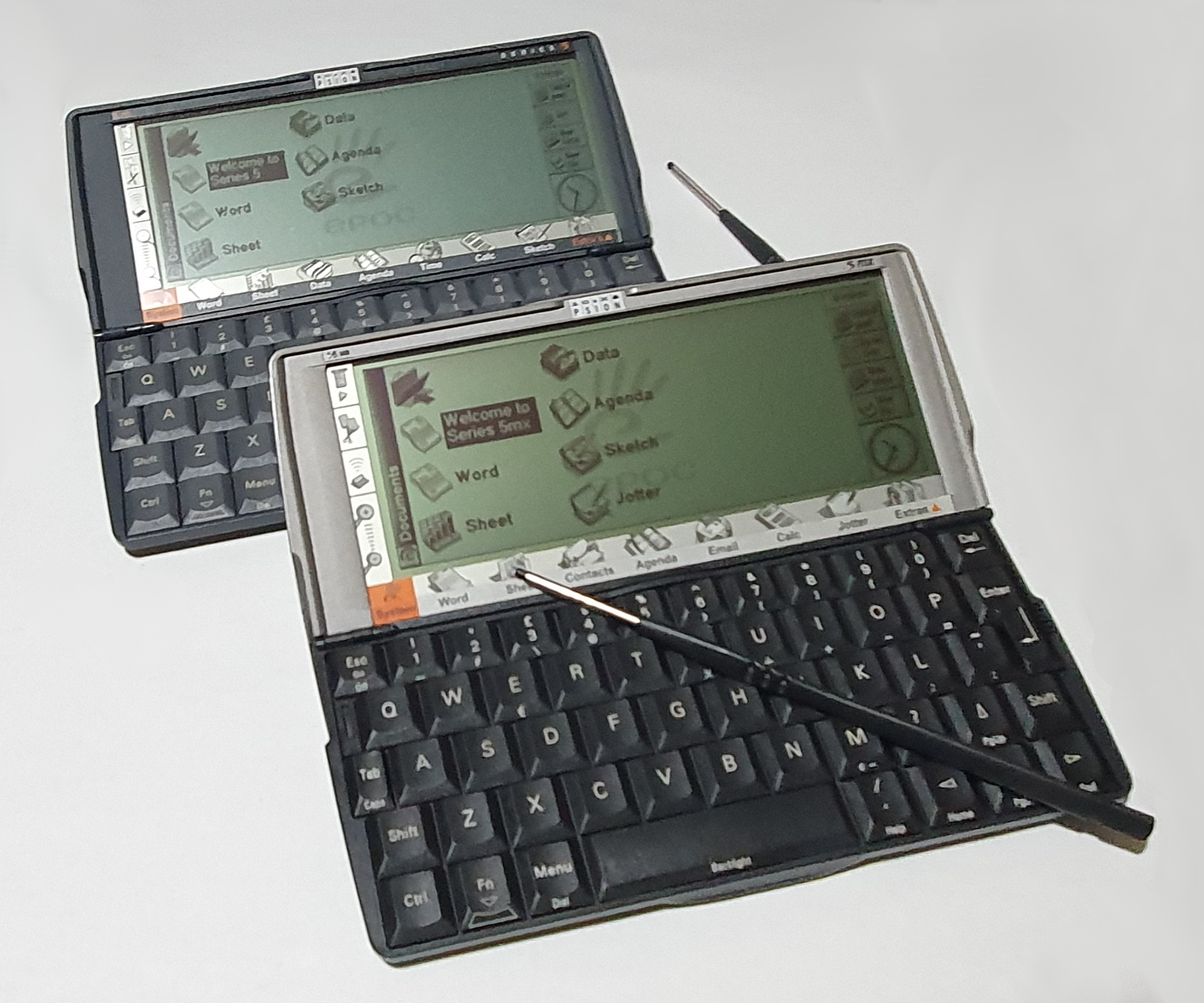
Psion Series 5/5mx
Psion’s consumer handhelds started with the Organiser and Organiser II. Then they went clamshell with the Series 3 (and then 3a, 3c and 3mx). Their final handheld was the Series 5 (and 5mx). Between the Organizer II and the Series 3, Psion experimented with the laptop form factor with the MC200, MC400, and MC600 but they didn’t do so well in the market. Then, after the Series 5’s came the Series 7 notebook (another attempt at a different form factor – quite a bit smaller than the MC series machines).
The Series 5 is quite obviously a successor to the Series 3, only a vast step up. They improved the whole exterior design, most obviously the keyboard, the LCD screen and also added a touch screen. It still runs for ages off a couple of AA batteries, though.
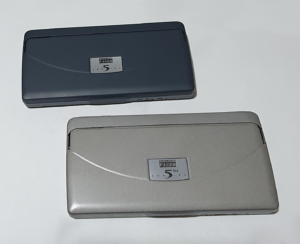
The Series 5mx is a more close successor to the Series 5, more of a bump in specification. It has twice the memory, an improved processor and an update to the built-in software. The physical machine, apart from the colour, is identical so I’ll describe the Series 5 and mention any differences where there are any.
Hardware
If you know anything about the Series 3 machines, you will know that the Series 5 is a step up in the same vein. If not, read my review of the Series 3/3a/3c/3mx first.
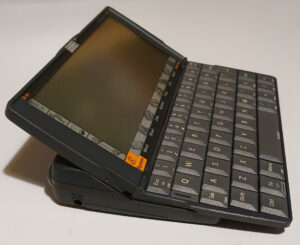
The hinge on the Series 3 tilts the battery back down to enhance the typing angle. The Series 5, however does it a little differently. The screen tilts back to a similar viewing angle but the keyboard now slides forward.
The Series 3 also slides a membrane into place covering the hinge to provide application shortcuts. The Series 5 uses the area under the screen to perform this action extending the touch digitiser beyond the visible LCD screen. There are some other shortcuts to the left for menu, cut/paste, IrDA and zoom.
The keyboard on the Series 5 is also leaps and bounds better than that on most PDAs. Arguably the best (marginally behind that of the Series 7, but that’s not really a PDA). When placed on a flat surface you can easily touch type on it, and when held between two hands you can just about thumb type as it’s not too big. Accessible on the front, even when closed, are dedicated play, record and stop buttons allowing for voice recording.
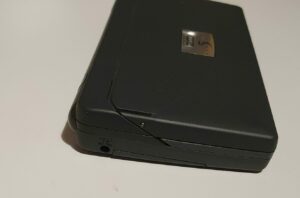
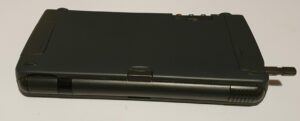
The battery compartment cover doesn’t unclip (like most battery covers) but instead swivels into place, and similarly so does the cover for the serial port connector. Between the two is the lens for the IrDA port.
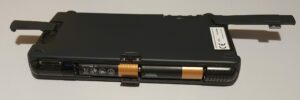
To the sides are two more fixed covers (hinged this time): one for the Compact Flash card and the other protecting the home of the CR2032 backup battery.
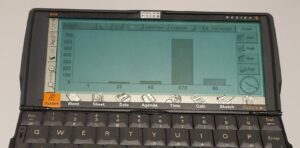
The display on the Series 5 is leaps and bounds better than that on the 3a/3c/3mx in that is now higher resolution (1.5 time more pixels in each direction) has 16 shades of grey (not just one) and an electroluminescent backlight. It’s even touch sensitive (resistive, with a very nice stylus).
When slid open, there are a few things visible on the underside of the keyboard. Not very exciting, though.
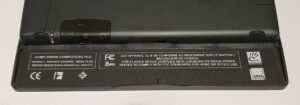
The main visible difference between the Series 5 and the 5mx would be the colour. In my opinion, the Series 5 is far more visually appealing with it’s uniform dark grey sheen. The 5mx, on the other hand, is a two-tone black and silver-grey. The 5 has a rubberised coating which is easily scratched, but as far as 2025 it hasn’t turned to black glue. The 5mx has no such coating.
Summary
| Series 5 | Series 5mx | |
| CPU | 32bit ARM 7100 @18.432MHz | 32bit ARM 710T @36.864MHz |
| ROM | 6M | 10M |
| RAM | 8M | 16M |
| Storage | SD card | SD card |
| Audio | Speaker & mic. (voice record & music) | Speaker & mic. (voice record & music) |
| Keyboard | 53 key qwerty, computer-style, and dedicated voice recorder keys | 53 key qwerty, computer-style, and dedicated voice recorder keys |
| Stylus | Retained with push-click | Retained with push-click |
| Screen | 640×240 pixels, 16 greys, touchscreen, with electroluminescent backlight | 640×240 pixels, 16 greys, touchscreen, with electroluminescent backlight |
| Touch | Touch screen with 14 fixed buttons | Touch screen with 14 fixed buttons |
| Comms | RS-232 and IrDA | RS-232 and IrDA |
| Power | 2xAA, CR2032 backup, external 6V jack | 2xAA, CR2032 backup, external 6V jack |
Software
The software revision on the Series 5mx is a bump over that of the Series 5. It’s revision 1.05(250) whereas the 5 is 1.01(145) and it’s in a 10M ROM now, rather than a 6M ROM on the Series 5. Again, I’ll describe the Series 5 primarily, and then note the changes made to the 5mx.
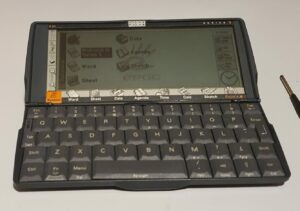
The software on the Series 5 is very sophisticated for a palmtop in 1997. The touchscreen has dedicated buttons on the left for common program functions: menu, IrDA, cut/copy/paste, zoom. It has program shortcuts along the bottom (which are programmable) and also a few soft-buttons on the right.
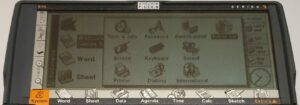
The System is where you’d normally start off. This is a kind of file manager and control panel. The Series 5 presents files rather than the applications presented by the Series 3.
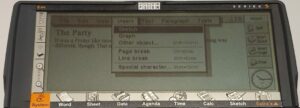
Word on the Series 5 is similar to that on the Series 3c, but now it has the ability to insert drawings from Sketch or tables of numbers or even graphs from Sheet. There is even the option to embed arbitrary files.
The spreadsheet on the Series 5 is pretty similar to the one on the 3a and 3c – it didn’t need much updating.
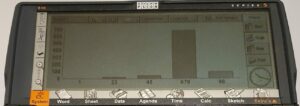
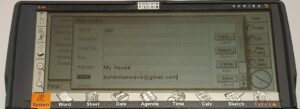
Data on the Series 5 is still a searchable, flat database. It notably differs from the Series 3 version in the way in handles fields, though. It does it properly now but you can still change the field names.
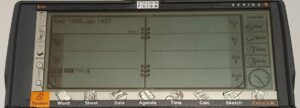
The Agenda on the Series 5 has some improvements in the way that your calendar is presented, helped by the higher resolution screen. You can also embed sketches and assign letters to appointments (useful in year view.)
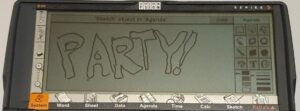
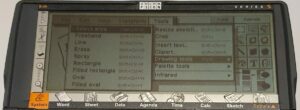
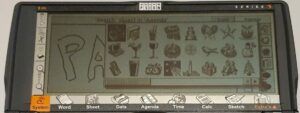
One of the two new programs added on the Series 5 is Sketch. It’s a reasonably sophisticated drawing program facilitated by the fact that the Series 5 now has a touch screen.
There are the usual drawing tools – set pen thickness, shade of grey, transparency, insert text, rectangles, ovals – and transform tools – flip, rotate, resize. There is even a library of clipart. There are blocks of road that you can use to make maps (according to the manual).
The other new program is Comms. This is a VT100 compatible terminal emulator and XModem / YModem file transfer application.
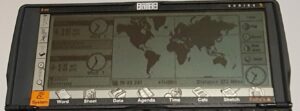
The map on the word time screen – in the Time application – looks better on the higher resolution screen. Daily alarms can be set here.
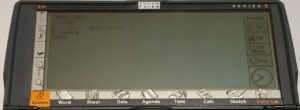
As you must have guessed by now, one this always included in Psion palmtop computers is the OPL programming language. Again it’s been enhanced to make use of the new screen and pen.
Data on the Series 5mx has been relegated to the Extras menu to be replaced by a new Contacts program. This is very similar but dedicated to adding user contacts – telephone numbers, addresses and the like.
On the Series 5mx, Sketch has also been relegated to the Extras menu. This time it’s place is taken by Jotter. Jotter is like a multi-page (not one continuous page), cut-down version of Word. It’s designed to be a place to put general notes rather that sticking notes in separate Word documents.
On the Series 5, there are internet applications that can be installed in addition to those buid into the ROM These are Email and web browser. Email has been included in ROM on the Series 5mx. It’s intended that you connect to the internet using a modem or IrDA to your phone. Alternatively, you can sync your mailbox with your desktop PC. Much like any other email client (for example on a Nokia Communicator), you are presented with a tree of folders – such as Inbox, Outbox, Draft, Sent. You can always add your own, too. The program allows you to create and read emails, SMS text messages and Faxes.
Summary
- System – file manager and control centre.
- Word – word processor.
- Sheet – spreadsheet.
- Data – flat database, useful as an address book.
- Agenda – time planner with alarms and repeats, and to-to list.
- Calc – scientific calculator (can use OPL functions).
- Time – alarm clock and world clock.
- Sketch – make sketches / pictures.
- Bombs – the classic game of mine sweeper.
- Record – voice / sound recorder.
- Spell – spell checker and thesaurus.
- Comms – terminal emulator and file transfer.
- Program – the OPL programming language.
- Contacts – a user manager*.
- Email – an Email, SMS and Fax manager*.
- Jotter – a note taking application*.
* available on Series 5mx only.
Summary
Until recently (after 2023) I had never used a Series 5mx, Series 7 or Netbook, so to me the Series 5 was the ultimate Psion handheld computer that I had experienced. The screen is visible in fairly good light, but not so much in poor light. The backlight fixes that, of course, but if it gets too dark then you can’t see the fixed touch keys or the keyboard legend, both of which have no illumination. A colour screen (like the Series 7) would be nice, but that would drink the juice from the batteries much faster – necessitating a lithium battery pack or similar – 2 AA batteries do a remarkably good job with the screen that it comes with. According to the manual, the electroluminescent backlight significantly increases battery consumption, so best only use the device in fairly good light for any length of time.
The software included on ROM includes a decent word processor, a good spreadsheet, address book and calendar programs. In fact all the office and PIM programs that you could need.
Recently (in 2025), I acquired a Series 5mx. Apart from the colour scheme, it’s just a faster and all-round beefier Series 5. The Jotter and Contacts applications are a good addition that bring the machine better into the PDA bracket for many less tech-savvy users. I wouldn’t say it’s worth upgrading from a 5 to a 5mx, though, as the 5 does a very good job, anyway.
Repairs etc.
I bought my Series 5 from new when it was current. I remember having to have it repaired once through Psion’s repair service though I don’t remember the details.
The casing is covered in a soft rubber coating, which had become so damaged that I had scraped it all off before it needed to be repaired. As part of the repair, Psion replaced the case. I then bought a hard case for it to try to keep it from getting scratched again. It still got a little damage round the edges, though.
I also still have the box, manuals and serial cable in pristine condition.
I recently got a Series 5mx and it’s also in pristine condition. It doesn’t suffer from a soft, scratchable case covering, but it does suffer from a worse two-tone colouring.
It came with manuals too, but not a box or serial cable (but that’s the same cable, anyway).
To-Do
- Try to get the IrDA to talk to something else.
- I have a fair collection of software to try out.