
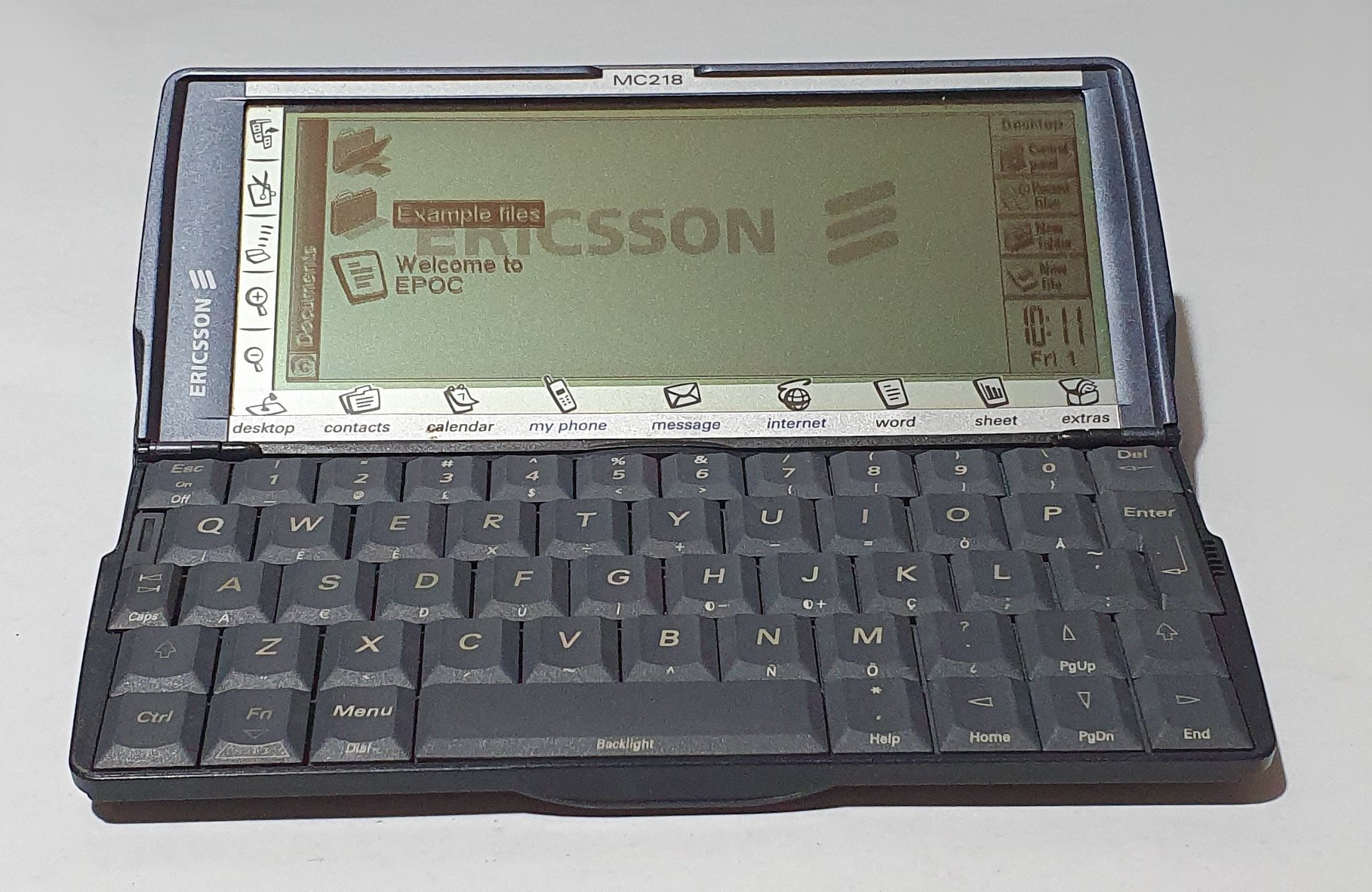
Ericsson MC218
Ericsson and others, found a need to fill a certain gap in their portfolios. Instead of making their own computer that would fill that gap with all the research and development that would cost, they found another device that did it for them. In this case it was Psion’s Series 5mx.
Another Series 5-derived machine was the Osaris from Oregon Scientific, although it was based on the Series 5 rather than the 5mx.
Hardware
Outwardly, the MC218 looks more like the Series 5 than the 5mx, but inwardly, the processor, speed and RAM size is the same as the 5mx. It does, however, have an extra 2M of ROM over Psion’s own branded machine.
The 5 is charcoal grey, the 5mx is grey/silver and black, and the Ericsson is dark slate blue.
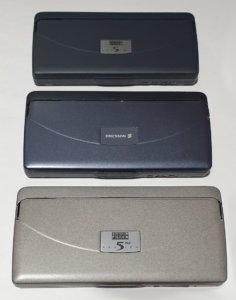
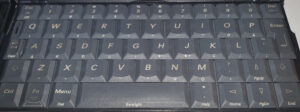
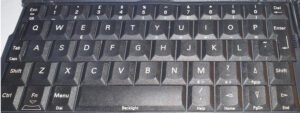
The keyboard, however, has extra functionality (shown as printing on the front face of the keys – as to be used with Fn). Most of these are accented letters.
Summary
- CPU: ARM710T @ 36MHz
- ROM: 12M
- RAM: 16M
- Power: 2xAA + CR2032 memory backup
- Touch screen, 640×240 pixels, 16 greys, electroluminescent backlight
- Fixed touch buttons for editing, menu, IrDA, applications
- Full QWERTY keyboard, small but very good
- IrDA
- RS-232 serial port (proprietary Psion, compatible with Series 5/5mx/7/3c/3mx/Siena)
- Compact Flash port
- External voice record buttons: record/stop/playback
- Mic
- Digital sound
Software
The Ericsson MC218 is heavily based on the Psion Series 5mx with some software changes and updates. It has the same issue of the EPOC operating system – 1.05 – which is also that which is used on the Series 7 (which is a slightly modified 1.05, altered for the larger colour screen).
The Series 5mx and the Ericsson MC218 share all the same software, with some program name changes and some extras on the Ericsson. I’ll just describe the differences from the Psion Series 5mx here.
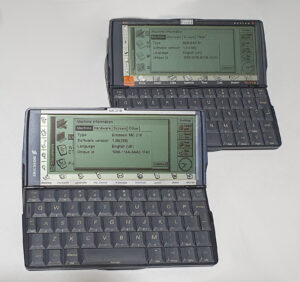
Although drawn differently, the fixed touch buttons on the left of the screen perform exactly the same as those on the Series 5 or 5mx: menu, clipboard, infrared and zoom. The application shortcuts on the bottom are slightly different, though. The system screen is now named desktop, and is the first icon on the left. The icon on the right is, likewise, still extras. The applications between them are now contacts, calendar, my phone, message, internet, word and sheet. The Ericsson’s Calendar is a renamed Agenda, Message is Email, the rest are just the same, albeit sometimes in a different place.
My Phone seems to be an Ericsson-specific application included on the MC218. It seems to be a program for talking to a mobile phone (possibly only an Ericsson phone). It allows the editing of contacts stored on the phone or its SIM card, compressing of phone book data and so on. You can also use it to edit melodies, which I assume are used as ring tones.
The program on the Ericsson MC218 named Internet seems to be a renamed version of the program on the the Series 7 called Web. It can be installed on the 5mx, but it’s not present in its ROM. The main difference the I can tell over Web on the Series 7 is the default start page. As well as rendering HTML (old versions of HTML), as you’d expect, the program keeps bookmarks and page history. In 2024 it’s extremely limited – remember it’s from 1999. The web has moved on 25 years! Internet/Web doesn’t even handle https, Javascript, CSS, or many other features you’d expect in modern browsers. I haven’t tried connecting to the internet with it so I have can only speculate that web browsing would have been a miserable experience, even with web pages designed to work on 1999’s web browsers. The screen isn’t very tall, there is no colour, and Flash was not built-in. It probably wasn’t even available as a plug-in (I’ve been unable to find out much about them).
On the Ericsson MC218 there is a program called Postcard. When you start it, it claims “The Postcard program offers you the perfect solution for sending messages including photo, text and freehand drawings via the MC218 and your mobile phone.” It allows simple messages to be created with text and images which it then places in your outbox. The files it creates seem to be email with html and jpeg attachments, and a short message telling you to go to a URL to view the message if your email client can’t do it.
The final addition is called Setup. This is a wizard that configures your MC218 to talk to your phone over IrDA. It doesn’t seem to do an awful lot if you don’t have a suitable phone. I’ll have to try to connect to one of my old phones…
Summary
- OS: EPOC (badged symbian) version 1.05(259)
- Contacts
- Calendar
- My Phone
- Message (email client)
- Internet (web browser)
- Word
- Sheet
- Record (voice recorder)
- Comms
- Postcard
- Setup
- Jotter
- Spell
- Program
- Data
- Time (world time and alarms)
- Calc
- Bombs (minesweeper-like game)
- Sketch (graphic editor)
Summary
The MX218 is almost identical to Psion’s Series 5mx. It has the Web browser built in (under the name Internet) and a couple of apps that help connecting to an Ericsson phone (possibly others).
Appearance-wise, I’d say it looks better than the 5mx – but that’s probably just my opinion.
I purchased a Psion 5 back in the day, to replace the Series 3a that I had, and I loved it. It is a fantastic machine. The 5mx wasn’t a worthwhile upgrade at the time and I was not aware of the MC218. If I had been then it would have been more of an option (although I still don’t think I would have upgraded).
If, back in the days when the internet worked over IrDA, and if I hadn’t already purchased a Series 5, I would probably have gone for the MC218 over the Series 5mx. It’s the same machine, only better (in my opinion).
Repairs etc.
The device I received is in working order with an unbroken Psion badged stylus. I don’t know if the MC218 originally came with a Psion stylus. There is some plastic damage around one of the hinges, but this seems to do nothing to the functioning of the hinge mechanism but I’m being gentle with it just in case.
To-do
- Connect to a phone.