
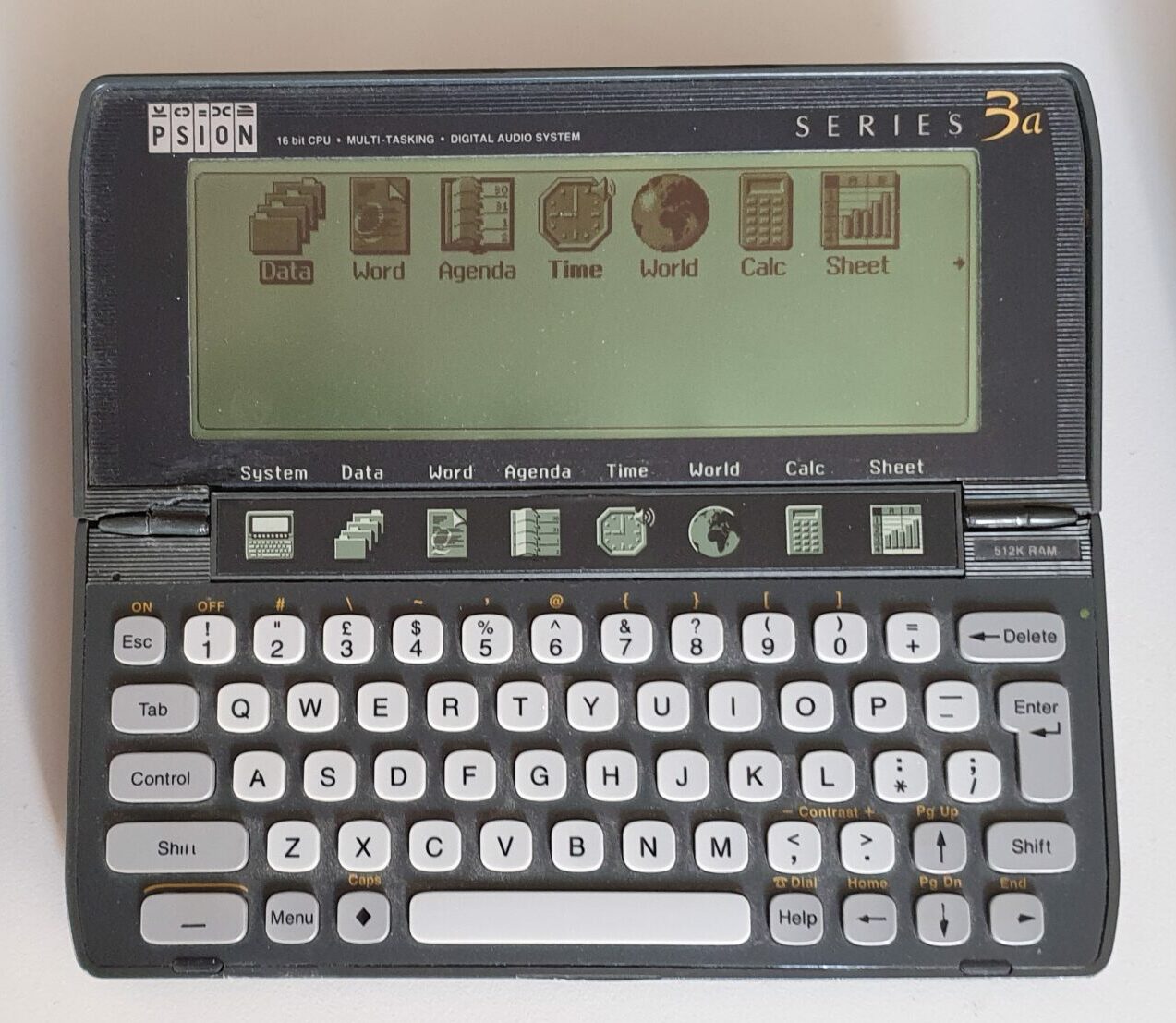
Psion Series 3/3a/3c/3mx
After Psion’s success with the Organiser II, they developed this design. It’s their first foray into clamshell’s and spans four main versions
In 1991 was the Series 3, 1993 saw the Series 3a, the Series 3c came in 1996 and the 3mx was released in 1998. The 3a saw better software, more RAM and a bigger better screen and the 3c and 3mx sported more memory, improved software, a new and improved serial port connector (used later in the Series 5, Siena and Series 7) and an infra-red port.
Hardware
The keyboards on the Series 3’s are very similar (although the Series 3 feels stiffer), with the dedicated caps lock key on the Series 3 being replaced with the diamond key on future models. The only other changes are also with key usage (and legend) for psion-tab (IrDA) on the 3c and 3mx, plus psion-space to control the backlight on the 3mx.
The Series 3a, 3c and 3mx have a vastly improved screen over the original Series 3. It’s bigger but more importantly, it now has a grey plane (just one) and is 4 times the resolution (2x vertical and 2x horizontal). The Series 3mx (and some versions of the Series 3c, notably US versions) have an electroluminescent screen backlight.
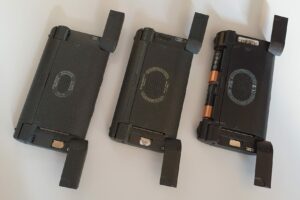
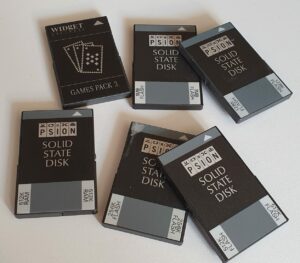
The rear of the Series 3’s are all similar – that’s where you’ll find the speaker (capable of ‘phone-compatible DTMF dial tones).
Each of the Series 3’s also has two SSD slots, one on each side, labelled A and B. Under the right hand one is the coin cell backup battery.
The ‘disks’ or SSDs for the Series 3’s are RAM, ROM or flash and come in a variety of sizes right up to 2MB.
The SSD’s are the same as employed on the MC400 which came earlier. The communication protocol employed to access them as disks was enhanced to increase the size of SSD cards that can be used.
On the left hand side of each are the ports for serial port, parallel port or modem. On the original Series 3 and the Series 3a the port is a 6-pin (3×2) which takes a dongle to convert it to RS-232. The 3c and 3mx, however sport a flat wide connector which is compatible with the Series 5 and newer machines.
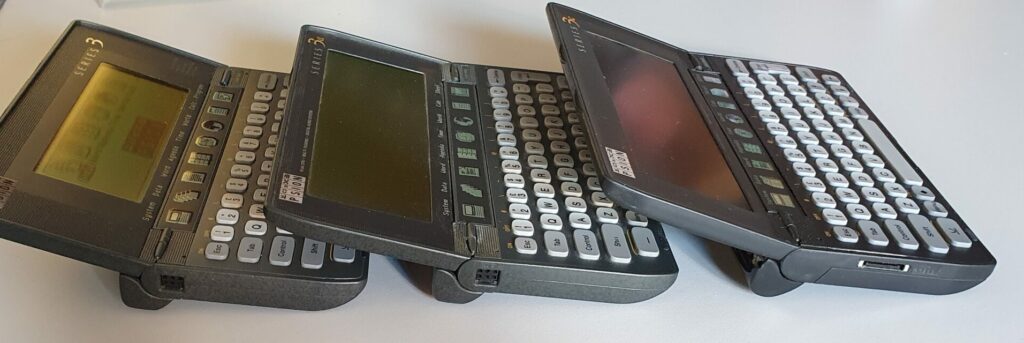
The dongle on the Series 3 and 3a can also contain software (shown as disk C).
The hinge is quite cleverly put together. The device folds out to a decent viewing angle and in the same action the battery holder folds down to push the keyboard up to a better typing angle. Also, there is a membrane that folds into place between the screen and keyboard providing hot keys to the main applications. They are slightly different between the 3 and 3a, an there’s an extra button on the 3c and 3mx.
The right hand side hosts the power jack (9V DC, centre negative).
Summary
| Series 3 | Series 3a | Series 3c | Series 3mx | |
| CPU | NEC V30H | NEC V30H | NEC V30H | NEC V30MX |
| Speed | 3.84MHz | 7.68MHz | 7.68MHz | 27.684MHz |
| Screen type | mono LCD | grey LCD | grey LCD | grey LCD |
| Screen backlight | No | No | No + | Yes |
| Resolution | 240×80 | 480×160 | 480×160 | 480×160 |
| RAM | 128K / 256K | 256K – 2M | 1M / 2M | 1M / 2M |
| ROM | ? | 1M | 1M | 1M |
| Keyboard | qwerty, calculator-style, 8 app. buttons | qwerty, calculator-style, 8 app. buttons | qwerty, calculator-style, 9 app. buttons | qwerty, calculator-style, 9 app. buttons |
| Discs | 2xSSD | 2xSSD | 2xSSD | 2xSSD |
| Serial port | 6-pin port * | 6-pin port * | RS-232C ^ | RS-232C ^ |
| Serial max baud | 9,600 baud | 19,200 baud | 38,400 baud | 115,200 baud |
| Power + backup | 2xAA batteries + CR1620 | 2xAA batteries + CR1620 | 2xAA batteries + CR1620 | 2xAA batteries + CR2025 |
| Sound | Yes | Yes | Yes | Yes |
| Microphone | No | Yes | Yes | Yes |
| IrDA | No | No | Yes | Yes |
+ Some models (mostly in the US marked) have a backlight.
* Requires dongle.
^ Proprietary connector.
Software
Unlike the earlier Organiser II, the Psion Series 3’s continue from where you left off when you switch them back on. The OS is multi-tasking and all applications can be running at the same time and switched between at will. The System is where you are placed when you first switch the device on. This gives access to some preferences and provides a way to switch between programs and files. There are shortcut membrane keys beneath the screen that can be used for this too and these differ slightly between the models.
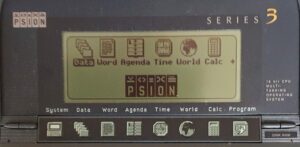
The System screen shows which programs and files are actively taking system resources at any time. This is sort-of a cross between the start menu and task bar on modern computers – it shows a list of icons for each installed program and a list of it’s files (or instances) beneath it. If the title is shown in bold then it’s an active program.
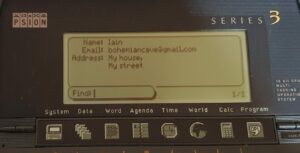
The Data application is a card-file type database. You can enter any data against fields (which you can adjust). On the Series 3 version you have a basic search, but on the 3a this has been enhanced to allow searching on a specific label. The 3c version has sorting too.
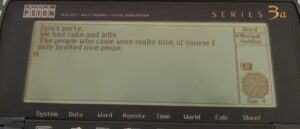
Word (the word processor), like Data, also gets more sophisticated as the model increases. It’s quite well featured in the 3 too, having search and replace, cut and paste, styles, templates and it’s mostly wysiwyg. The 3a adds outline view, password protection, better style handling, The 3c only adds a spell checker and thesaurus.
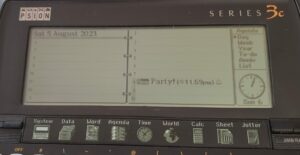
One of the most important applications on the Series 3 would be Agenda. The Series 3a shows your agenda in one of many ways: by day, week, year, to-do list, anniversaries or a list of appointments. The 3c also has a Busy view but the Series 3 has only a combined month/week view, daily view and to-do list. Even the Series 3 version has the ability to repeat an appointment, set an alarm and search appointments. All versions also have a to-do list.
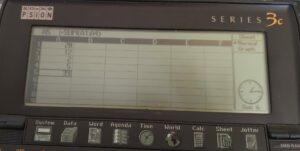
Added on the Series 3a and later is a spreadsheet. The 3a and the 3c have a very similar version – Open/close gap was replaced with Insert cells and Delete cells. The Sheet is fully featured with database and graph plotting.
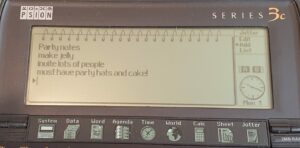
Added to the Series 3c was a note taking program called Jotter. You can have multiple notes (and multiple files of them) and view the notes as a bullet list.
Also added to the 3c is a file manager (akin to Norton commander) and Patience.
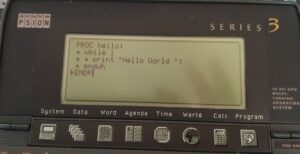
The one feature that psion added to all their computers, was the OPL programming language. Added to the Series 3 version were routines to assist in handling all the user interface features. You can write full UI programs in OPL!
Oh, yes. I always forget that on the Series 3’s there is also a verbose help system with a dedicated Help key. I often forget about it since the layout is generally intuitive. Who needs a manual, right?
Summary
| Series 3 | Series 3a | Series 3c | Series 3mx |
| System Screen | System Screen | System Screen | System Screen |
| Data (card file) | Data (card file) | Data (card file) | Data (card file) |
| Word processor | Word processor | Word processor | Word processor |
| Agenda | Agenda | Agenda | Agenda |
| Time (with alarms) | Time (with alarms) | Time (with alarms) | Time (with alarms) |
| World times | World times | World times | World times |
| Calculator | Calculator | Calculator | Calculator |
| OPL language | OPL language | OPL language | OPL language |
| Spread sheet | Spread sheet | Spread sheet | |
| Voice recorder | Voice recorder | Voice recorder | |
| Jotter | Jotter | ||
| Comms (terminal) with scripting | Comms (terminal) with scripting | ||
| Spell checker | Spell checker | ||
| Filer | Filer | ||
| Sound editor | Sound editor | ||
| Patience game | Patience game |
Additional models
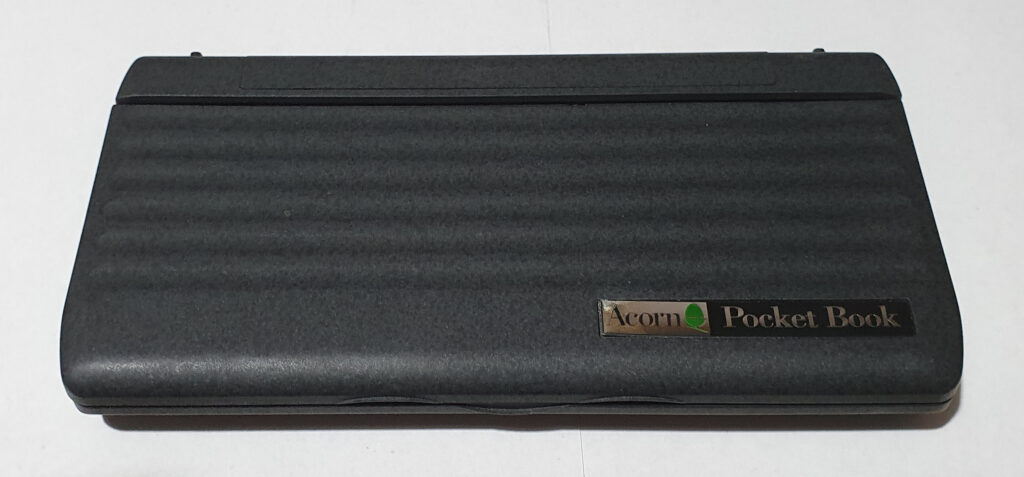
Acorn released the Pocket Book and Pocket Book II – these are Series 3 and 3a models with software changes.
I recently saw an auction on ebay for a rare Series 3-s. That’s a Series 3 with the spreadsheet built in.
I also saw a video on Youtube featuring the repair of a Jaguar branded Series 3a. I believe the only difference to be the Psion/Jaguar logo on the lid label.
Additional Hardware
Serial cable(s)
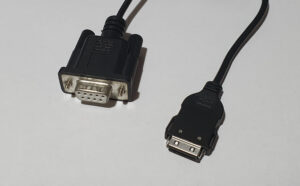
The series 3 and 3a have different serial port connectors on them to the 3c and 3mx. The former models require a dongle in order to provide RS-232C whereas the 3c and 3mx just require a cable with a proprietary connector.
I suspect that the six pins that make up the 3 and 3mx connector (that accepts the dongle) are signal compatible to the connections for the two SSD drives (although I have no proof of this).
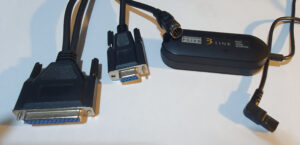
The dongle used on the 3 and 3a has a captive cable that plugs into the Series 3/3a and a mini-din socket that accepts a RS-232 cable. This cable is compatible (without the dongle) with the MC200/MC400.
The serial port used on the later Series 3c and 3mx uses the same connection, and is compatible with, the Series 5 and Series 7 ranges along with the Siena. The Revo, however, uses a docking station instead.
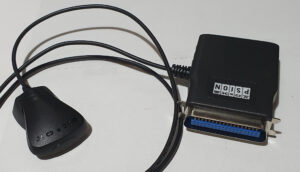
Parallel printer link
This is a cable to connect a Series 3c, 3mx or newer to a centronix parallel printer.
There is also a version which plugs directly into the 3/3a without the need for a dongle, having all the electronics in the large centronix connector shell.
Infrared printer link
This is also designed for the Series 3c, 3mx and newer with an IrDA port and will connect them wirelessly to a centronix parallel printer.
Fax Modem
This was designed for the Series 3 and 3a with the six-pin connector. It is styled to match the aesthetics of the machine(s).
I don’t have one of these nor can I even use one. Perhaps I could if I had two of them and could simulate a landline phone connection… Modems aren’t much use any more.
Modem card adapter
This was designed to take a Psion gold PCMCIA card (perhaps other modem cards will work) and plugs into the serial port on a Series 3c/3mx or newer.
I also have no desire to collect one of these (unless it comes to me for almost free).
Floppy drive
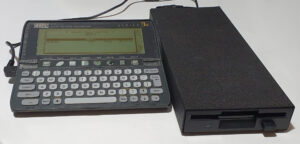
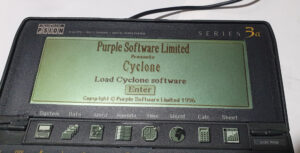
This is an unusual item. It relies on the fact that the Series 3 and 3a can contain ‘drive C’ on a dongle in order to contain the software drivers, and in fact the floppy appears as drive C. The Series 3c and 3mx have a different serial port and wont work with it.
The way it works is that, when you plug it in you get the drivers on drive C. Once installed drive C becomes the floppy disc and acts just like the other drives.
The drive itself comes in a solid, albeit long case with room for four AA batteries at the back. You don’t need to power it that way since it also accepts power through a barrel jack.
Repairs etc.
Originally, I bought a Series 3 when they were still current. Then I traded up for a Series 5. I still have the Series 5 but stopped using it as my main PDA when phones took over those functions.
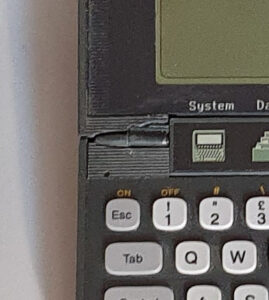
I first bought a Series 3a several years later (when it was starting to become retro and a collectors thing) and it subsequently broke its hinge, so I glued that back together. If I did it again it might be a better job – at least I’d like to think so. It came with a serial 3-link cable and Infra-red printer link (which I’ve never had a use for). It also came with the Users Guide and the Programming Manual.
More recently I bought a Series 3c and Series 3 together (from ebay – where else). The 3 came in a leather wallet and the 3c came with an awful sticky coating. It used to be a soft rubbery outer. It took some isopropyl alcohol, many paper towels and some effort but cleaned up quite well. The plastic underneath the gunk turned out to be in good condition.
Unfortunately my Series 3c has no battery cover and the lens covering the IrDA port is missing. The battery cover from the 3 or 3a fits though.
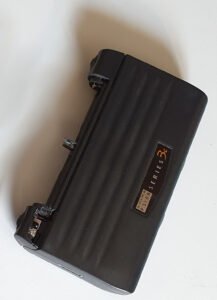
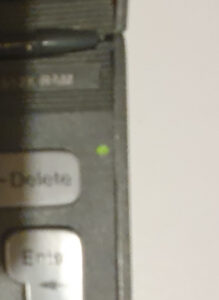
I recently discovered that the Series 3a in my possession had been tampered with. A previous owner had replaced the cables to the battery and soldered them to the DC input. There is supposed to be a plug and socket attaching them to a different point on the main board. It’s a bit of a pain to get to the main board so I’ll leave it for now. The only oddity is that the power light is always illuminated when running off batteries.
Subsequently I won another eBay auction, this time for a broken Series 3c. I got it just for the back section, with the IrDA port and battery compartment, and battery cover. One Frankensteining later I now have a fully functioning and complete Psion Series 3c.
More recently I got a good deal on a Psion Series 3mx in very good outward appearance. The only issue mentioned on the listing was that it works off external power but not batteries. Well, I didn’t see that as a big problem, and it wasn’t… but the repair was a bit fiddly.
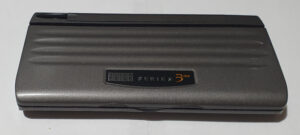
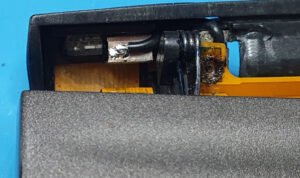
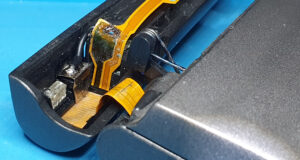
The inside of the battery compartment was clean, but there was an are of the plastic that looked odd, kind-of melted. I removed the back part (with the battery housing and the IrDA port). The inside of the negative battery terminal was covered in battery ‘acid’ (actually it’s alkaline). I applied white vinegar, several times, until it stopped fizzing up. Then I cleaned it off with isopropyl alcohol.
The battery contact flat-flex negative was severely eaten away but the contact itself had no-to-little corrosion on it.
Nearby is a grounded shield around the IrDA receiver and that was still connected to the motherboard, so I soldered a wire between it and the battery terminal. Routing the wire was the fiddly part. I had to do it again after I took these photos to work it through the hinge mechanism as it fits tightly into the space.
After I refitted the back section of the case, I tested the 3mx and especially its IrDA port. It now works perfectly.
At around the same time I also acquired an Acorn Pocket Book, which is an Acorn branded Series 3 with some software changes.

Summary
The Series 3 is a decent machine, with very good agenda and address book capability (through the Agenda and Data applications). On top of that it has a capable word processor, calculator and a whole programming language built-in which you can even write GUI programs with.
The Series 3a enhances that with a bigger and better screen, improved software and even a spreadsheet. The 3c goes even further with even more software built-in, and the 3mx is essentially a souped up 3c, with a faster CPU and (like each model) a faster serial port.
The machine is expandable through two SSD slots for storage media or software. Unfortunately, this is in a proprietary form but the SSD cards aren’t rare (yet) and I have quite a few.
I think these are excellent machines and the 3a just kills it over the original Series 3. Until I got hold of the 3c, I thought it was excellent but now I’d love to get my hands of a Series 3mx! [Edit} I have! That’s the last machine in this series that Psion made (and didn’t rebadge for somebody else). Apart from being faster, and having a backlight there aren’t many changes between the 3c and 3mx. There are some Series 3c models with a backlight, though – I’d say that it was the biggest difference.
To-Do
- Fix the battery connection on the Series 3a.
- Download some software to try.
Excellent post but I was wanting to know if you could write
a litte more on this topic? I’d be very thankful if you could elaborate a little bit more.
Many thanks!
[edited to remove obvious business links]
Hi. Thanks for your feedback.
I thought I’d included quite a lot of stuff but there’s always more 🙂 What are you particularly interested in?
Hi Iain, great post, I really enjoyed it. I had all the different models back in the 90’s, and still have my S7 which works very well.
Recently I got the bug and bought two 3a’s off eBay. They have ‘Prudential’ on the front instead of the ‘Psion Series 3a’ badge and according to Psion’s User magazine 6500 3a’s were used by their staff.
I’ve also bought a 5mx and Revo. Since watching videos on YouTube and other research, I’ve been brave enough to open all of them. I’ve fixed hinge and button bar ribbon issues on the 3a’s and reseated the 5mx ribbon so the keyboard works again too.
The Revo is dead though. On inspection there was too much damage from the battery pack leaking. Shame. Finding working Revo’s for a decent price is very hard.
Anyway, all the best!
I’ve had issues with my Revo and Revo plus. The battery is a problem and I find the hinge is easy to break too. I much prefer the other models with the removable batteries. The 5 keyboard is so much better.
I did repair the hinge on my 3a, but not very cleanly – I think I can do better now 😉 I’ve been lucky with the screen cabled so far…
Have fun with your Psions!
I was recently given a Psion 2 CM, and I am really enjoying it. I got the y2K pack – it was that or pretend I was in 1942. I am programming it, and it is working perfectly.
It pains me to say this, but the keyboard and screen on these 2s age better over the decades than the clamshell models.
I went a bid mad, and bought a printer and an eprom eraser.
Isn’t it a shame Psion did not see the mobile phone coming and get into that market?
I recently got an LX64 and printer. I like the idea of the printer module. Turns out it suffered a lot of battery leakage and I am struggling to make the LX64 read the onboard pak memory. I enjoyed messing with my LX when I got it and I have tons of software and eprom paks and an eprom eraser (which I have yet to try) but no Y2K fix. The 2s do seem to be very solid. Built like a brick.
I don’t know the full history, but Symbian came from Psions EPOC OS. I had a few phones in the day which ran Symbian UIQ (a decent interface rather than S60 which sucks). Android runs rings around it of course, but it was excellent for its time.
I think I might be buying another S2 printer…