
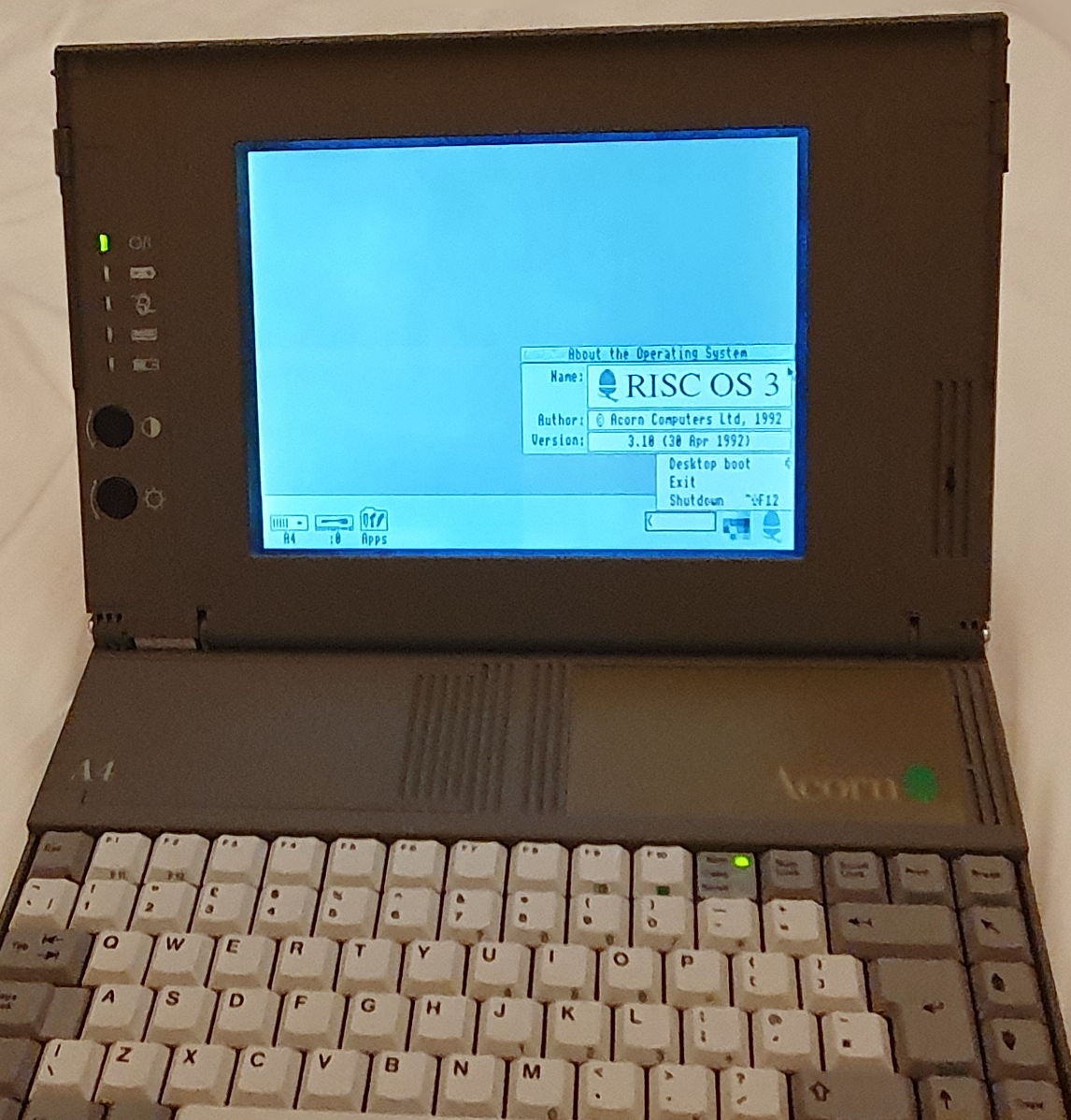
Acorn A4 laptop
The A4 was the only laptop ever created by Acorn (the company most famed for the BBC Micro). Acorn developed several 8-bit microcomputers (I have a Model B and a Master), and when 8-bit was going out of fashion, instead of just moving on to an existing 16-bit microprocessor (like everybody else) they created one of their own, and jumped straight to 32-bit. That was the Acorn Risc Machine (ARM) microprocessor and they used it in a whole set of computers (I have an A3010, this A4 and an Iyonix – which runs RISC OS but isn’t actually an Acorn machine). Acorn later spawned ARM holdings and retooled the Acorn in ARM to be Advanced.
Hardware
Acorn’s A4 was one of their line of Archimedes computers, released before their RISC PC’s. It wasn’t designed to be expandable beyond adding an econet interface. Econet was Acorn’s proprietary network interface which they included as an addition to their BBC micro, Master and all their RISC OS machines. Ethernet, at the time, was a very expensive option, which they added to their later RISC OS machines as it started to became the ubiquitous networking standard.
The machine features an ARM3 processor clocked at 24MHz, but drops to 6MHz for power saving. My machine has 4GB of RAM (other models had 2GB), and along with the standard RISC OS 3.10 ROMs, has an additional ROM. This ROM chip is known as the fifth column ROM and contains a few mobile device specific modules.
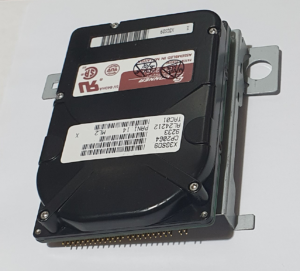
In the way of storage, my A4 contained a Connor 63G IDE hard drive when I got it. The drive didn’t work, so I replaced it with a 2G SD card (of which I only got 1G to format).
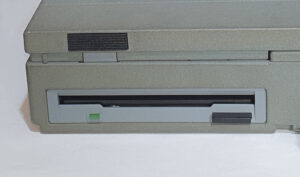
Removable storage is provided in the form of the infamous 3.5 inch floppy disc drive. It takes up to IBM formatted 1.44Mb disks, or 1.6Mb if Acorn ADFS formatted.
There were issues making mine work (see Repairs etc. below).
The screen of the A4 is not the best. It’s a 640×480 monochrome ‘supertwist’ LCD pretty typical of screens of the time – contrasting areas (like light coloured windows on a dark backdrop) tend to bleed and moving things tend to disappear (like the mouse pointer). It’s not unusable though. There’s also an external SVGA port which gives a full colour display.
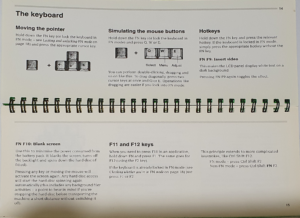
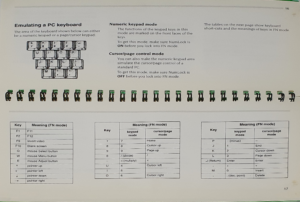
The A4’s built-in keyboard is a standard membrane type and is quite nice to type on. Owing to it’s size, some of the keys (like F11, F12 and the numeric keypad) have to be operated in conjunction with the Fn key. You can always use an external, standard PS/2 keyboard instead if you prefer.
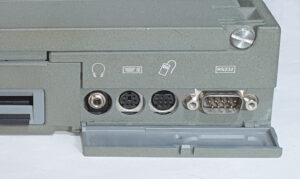
If you want to use the desktop, though, you have to use an external mouse as there is no touchpad or any alternative built-in. The mouse port is not PS/2 compatible, but instead uses a 9-pin mini-din quadrature mouse. This is the same as used in all of the Archimedes range. I think the RISC PC’s also used these mice. The Iyonix switched to using USB for it’s keyboard and mouse, though.
The A4 features the same sound system as other Archimedes machines: 8 voice stereo digital sound with a mono internal speaker and a stereo 3.5mm jack. The speaker on mine is not very loud and there is no volume control. You can, though, set the volume level in the settings, but there is no easy way to adjust it through, for example, a task bar icon.
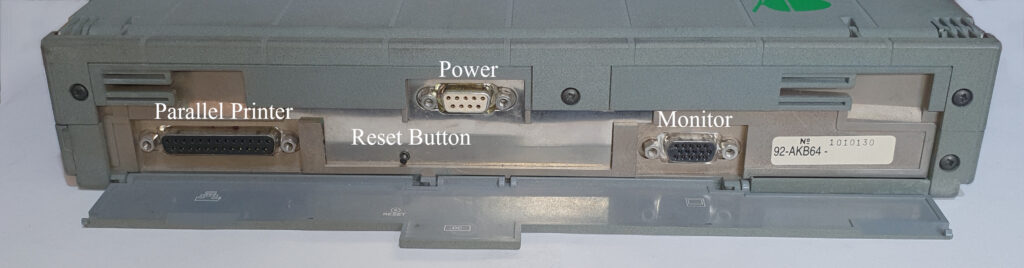
Like most machines of the time, external connectivity was achieved through serial and parallel ports. The serial port is the standard 9-pin D-type RS232 running at up to 19200 baud and the parallel port is bi-directional allowing connection to, for example, an Iomega Zip drive.
The back of the machine, when the flap is opened, shows that the case was not custom designed for the machine – the placement of the connectors is a little odd, not as you’d expect. Rumour has it that the case was designed for Triumph Adler (owned by Olivetti at the time, just like Acorn was).
Power for the A4 comes in the form of a Ni-Cad rechargeable battery, which I’ve read can power the machine for 2.5 to 4 hours. At this age, the Ni-Cads are all but useless, but can be replaced with NiMH (since Ni-Cads are impossible to get now) – this gives more life too (using the replacement from CJE micros, you can get 25% more).
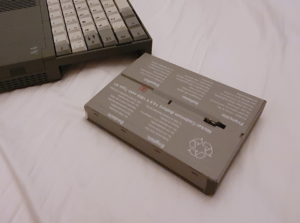
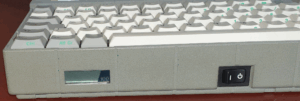
The state of charge of the battery can be shown on the desktop icon bar, and also there is a 5-segment LCD “gas gauge” on the front of the machine.
External power to run the A4 or charge its battery comes from an external DC charger. The choice of connector for it is an unusual one – a 9pin D-type!
Summary
- CPU: Arm3 @ 24MHz, dropping to 6MHz to save battery
- Screen: Supertwist LCD, 640×480 pixels with 15 shades of grey, with contrast and brightness controls. External SVGA connector for colour display
- Keyboard: 83 key UK PC layout with numeric keypad (used with Fn key), plus external keyboard via standard PS/2 mini-din
- Pointing device: External 3-button quadrature ball mouse through 9-pin mini-din. None built-in
- Parallel port: Bi-directional D-type
- Serial port: 9-pin D-type RS-232 (up to 19200 baud)
- Hard disc: 63MB Rodime 2.5″ IDE (optional)
- Floppy disc: Double sided, high density, up to 1.44MB DOS format or 1.6MB ADFS
- Battery: 1800mAh rechargeable Ni-Cad
- External power supplied through a 9-pin D-type connector with a 5 bar LCD “gas gauge”
- Econet networking (Acorn proprietary) option through plug-in module
Software
After Acorn moved on from their 8-bit computers (like the BBC Micro), they designed a whole new processor (the infamous ARM) and a whole new operating system to run on it. This was initially known as Arthur, but was soon updated and renamed to RISC OS (effectively Arthur version 2). The A4 runs version 3.0 of RISC OS from ROM – all of the Acorn RISC OS machines run it from ROM. The A4, A5000 and some other newer Archimedes machines also have an additional Fifth Column ROM slot. This slot is particularly useful on the A4 as it contains software modules to handle the mobile-specific features of the machine. This also allows the operating system ROMs to be the same for several models of Archimedes machine.
The Operating System itself is described separately. The Fifth Column ROM on the A4 contains additional modules, including an on-screen battery gauge and power-saving features of the A4.
All the ROMs in the A4 are socketed. The OS can be upgraded to RISC OS 3.01 – this is the last version that can be run on the Archimedes line of computers. The newer versions require newer hardware (like in the RISC-PC or Iyonix). The only changes are bug fixes and these can be installed as upgraded modules at boot time from a hard disc (or even a floppy, if you must).
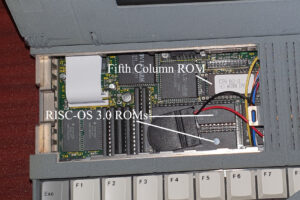
The Fifth Column ROM can be replaced with one that contains other modules, such as the Wizzo ROM. This includes IDEFS which handles the hard disc better than ADFS. I haven’t yet installed this myself.
Repairs etc.
I bought this A4 from Ebay as spares/repairs for a good price (for an A4) with the knowledge that there weren’t many A4’s out there to buy for spares, but some spare parts were available.
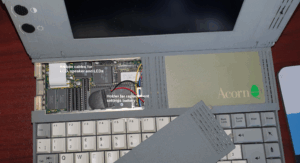
In order to get to the motherboard, you first need to remove a chunk of the case which holds the screen. There is a flap in that part of the case (which hides the Econet interface, which I don’t have). Beneath it you can access the two flat ribbons plugged into the motherboard. It’s a bit tricky – a tight fit – and you have to be careful not to damage them.
When you have those unplugged, there are six or so screws that hold a section of the main case in place. That section also holds the lid and screen and comes off in one piece. Then you have access to the keyboard, which is joined to the main board by having its flat membrane connectors pushed into similar connectors to the screen ones. You can then take out the keyboard.
Now you have access to the hard and floppy drives, which can both be easily removed. It’s one of the nicest computers to dismantle (apart from those fiddly screen and keyboard cables).
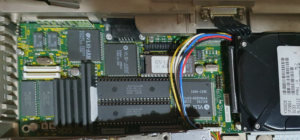
My reading (mostly of the Star Dot forums) led me to the conclusion that it would need a recap. I haven’t yet done a complete recap but there were several capacitors that definitely needed replacing. When the electrolyte attacks the solder holding the component to the board, it’s hard to get it off, or get fresh solder to stick. It takes patience and care that you don’t over heat the pads (in case you lift them). I replaced the five or six that had tarnished solder, and replaced the one that had fallen off and was rattling around in the case. I’ve subsequently replaced a few more.
Since I had unplugged the screen, there was no way to see if the machine was powering up, so I decided to use the external display port. I tried using my CRT monitor, but it wouldn’t sync, although things did appear and change. I tried an old SVGA LCD I had – that worked and got me to a supervisor prompt.
The A4 hasn’t got a built-in track pad and requires a mouse in order to use the RISC OS desktop – 9 pin mini-din quadrature, 3 button type. I have one of those for my A3010. It also has a PS/2 keyboard connector. I have a PS/2 keyboard too. That gave me a working machine, albeit in bits, but that was the point.
Unfortunately, from the supervisor prompt, *desktop didn’t work. *unplug told me why. Nearly every system module was unplugged. Ah, I thought, simply a case of resetting the battery backed settings. After some attempting to do this on the PS/2 keyboard I discovered that you can only do a delete-powerup on the internal keyboard. Re-installing the keyboard (a fiddly thing) and performing the settings reset didn’t help. The system settings weren’t being changed by *configure and neither were the unplugged modules being affected by *rminsert. I probably had a faulty PFC8583 chip (it maintains the real-time clock and holds system settings). I had to replace it, and it’s surface mount. I haven’t done SMD replacements before.
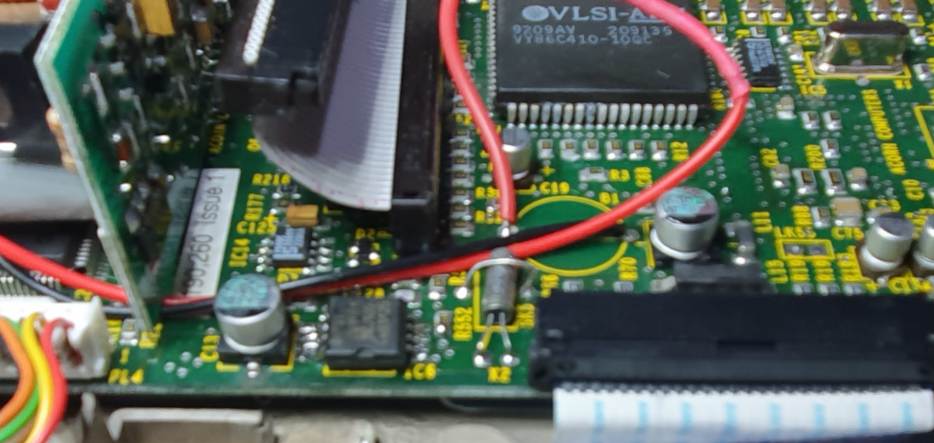
When I got my A3010, it came with an add-on board with a PFC8583 (which it turns out that I didn’t actually need – I’d already stolen it’s battery anyway). I’d recently bought myself a hot-air station to replace the IOC on a BBC Master (successfully!) and managed to use it to replace the PFC8583 on my A4 (also without damaging anything!). A first for me, to which I was quite chuffed! A delete-reboot then got me to a RISC OS desktop! I then replaced the battery for it with a CR2032 and a diode.
The hard disk was a 2.5 inch IDE type with no additional power connector (i.e. it was powered over the same ribbon as the data). It would spin-up… for a second or so… then spin-down… then after another second or so it would try again. This would go on for ten or so times before the drive would just give up altogether. I figured that taking the cover off couldn’t make it worse – I’d read that the head-stop would turn from rubber to glue (like some old rubber does). I couldn’t see any head-stop and one of the heads looked like it might be damaged anyway, so I put the case back together and replaced the spinning rust with a compact flash card and adapter. Formatting it took a virtual machine on my linux box (I did a better job later). Currently I have 1G working of a 2G drive, I haven’t managed to get more because the !HForm program crashes due to a variable getting too big.
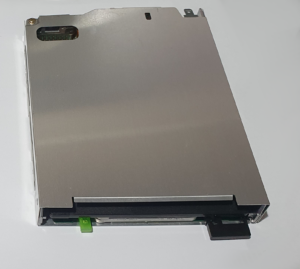
The floppy drive in the A4 is an Epson SMD-1000 and mine didn’t work. The connector on the this model is not the normal desktop kind, although they do make that drive with a normal IDC. The connector on that drive is a flat cable (like the LCD connectors) and it conducts both the power and data. Finding the pinouts is a task – in fact I used the A4 schematics (I did eventually find the pinout though). The drive would report that it was empty even though it had spun it up and moved the heads! I did some diagnosing, but eventually gave up and bought one from CJE Micros (a good source of Acorn computers and parts). That one worked fine…
…until I used the drive again later. It had developed the same fault. I had a bit of a conversation with Andrew at CJE, who offered to lend me a couple of floppy cables (which aren’t that easy to find) with the option to buy one if it helps. Unfortunately, it didn’t help. I decided to take the effort to diagnose the problem some more, especially now I had two drives and 3 cables to work with.
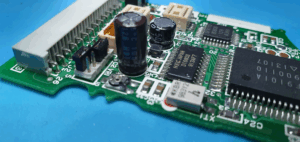
According to the internet, these drives have a couple of through-hole capacitors that leak when the drive gets this old. Getting to the circuit board on the drive is a bit of work, there’s a good video on You Tube though.
Even though they looked fine, the capacitors had burst on the bottom and the electrolyte had infected the circuit board. I think the traces on that part of the board are sensitive to this electrolyte and there is a potentiometer in that area too. It needs some cleaning up with isopropyl alcohol and the potentiometer needs adjusting when the capacitors have been replaced. Be careful making adjustments – I did a *cat, followed by a small adjustment, another *cat and so on. I repeated the process until I found the middle of the working area. Then I discovered that the disk I was using wasn’t the best and another one worked better – DOH!
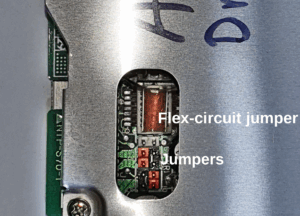
I then tried repairing my original drive. The leaking was worse. Near the capacitors is a jumper block, and a small flat flex cable that seems to just bridge a few pins. As far as I can tell this affects some of the signals on the data cable to change their functionality.
On this drive the tarnishing had affected it’s socket and pins. I managed to clean up the pins with a fibreglass pen and tried to clean up the socket. After then fiddling with the potentiometer, I never managed to make it work though.
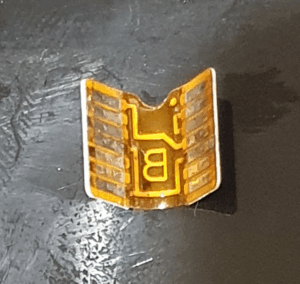
The A4 I bought (off ebay) came with a couple of batteries: one complete and one already opened up. These are Ni-Cad’s rather than the more modern Li-Ion’s. The forums tell me that they can be replaced with Ni-MH’s but I’ve had limited success replacing cells in battery packs (admittedly they’ve all been Li-Ion’s). I decided I’d avail CJE of their battery replacement service, instead. It turns out that the dismantled one was missing its retaining catch, so I let them keep what was present as spares and exchanged the other one. The replacement works well.
Manual
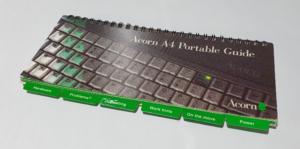
I recently received a copy of the Acorn A4 Pocket Guide as a Christmas present (yes my presents are that pathetic… I did get some more cool ones too… honest).
A copy is available online, and I took a copy of that for safe keeping. My A4 resources page has copies of useful documents (including this one).
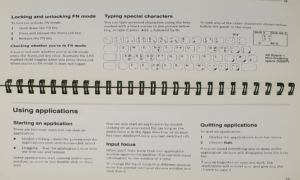
These three pages about the keyboard contained information I wasn’t previously aware of. It’s a short guide which you might find useful (or interesting) too:
Summary
The A4 is one of my more prized possessions – I never thought I’d own one. It sports an ARM3 which is a big improvement on the ARM250 in the A3010. I have encountered no issues with performance so far.
The LCD screen lets it down though: It’s black and white, ghosts and smears quite badly. If the image is mostly stationary (for example when text editing) it’s quite viewable, though. In 1992, that was as good as you got – I remember using a laptop for work in around ’94 that was just as bad.
On my A4, the built-in speaker is quite quiet – I’m not sure if this is a feature of the machine or if I need to replace another capacitor or something.
The keyboard seems to be a membrane type but, like all the Acorn machines, it’s a good one.
One thing I’d really like on the A4 is ethernet. At the time it was made it was an expensive addition to any computer, and proprietary networking was what you got (if you had the option), or you used PPP over the serial port (which wasn’t fast).
To-Do
The A4 runs RISC OS 3.10, which has some ADFS issues, which are fixed in version 3.11. There are also fixes that can be made by upgrading the fifth column ROM to the Wizzo ROM which also contains IDEFS (which I understand works better for IDE drives), and I believe can contain other modules too.
I have made PPP work to get it on the internet using the serial port. I don’t know if ethernet is possible, I’ve read something about a project that uses the econet expansion bay but I need to research that more. Failing that, econet might be fun to get working, if I can get all the necessary bits together. An original seems almost impossible to find but there is a mention on stardot about a modern recreation.