
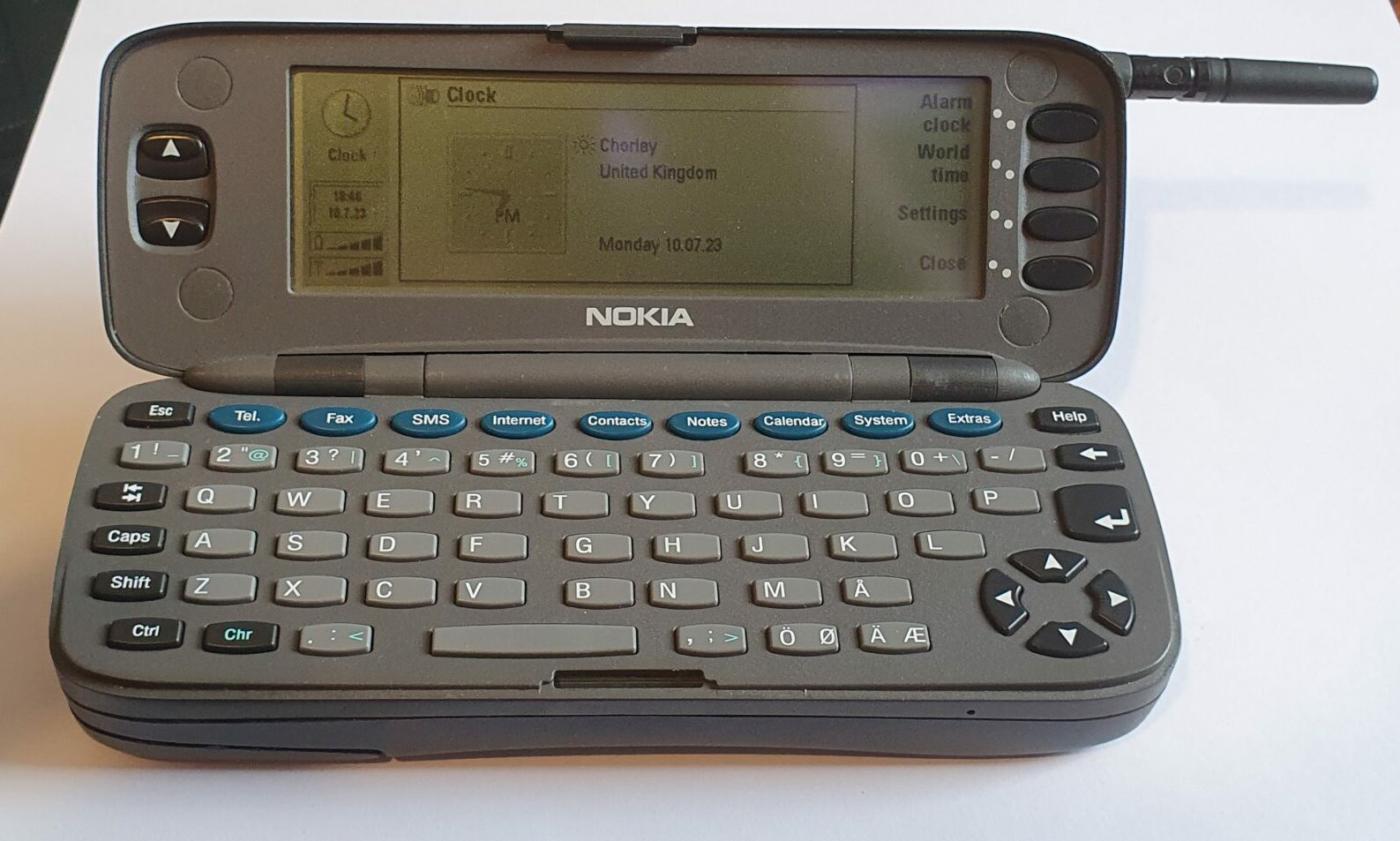
Nokia Communicator 9000
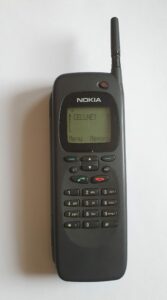
This is the very first of Nokia’s line of Communicator phones, released in August of 1996. I call it a phone but it’s more than that. It’s a very early Smart Phone and it’s quite a heavy brick.
The device consists of a merger of two almost distinct but very linked devices. One is on the outside and the other is available when you open the device up clamshell-like.
Outside is a pretty ordinary looking feature phone. It has all the features you’d expect from such a device. This is far from the reason that the 9000 is such an interesting device.
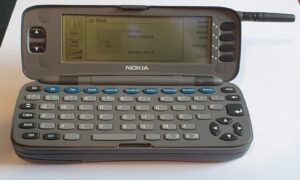
Inside you get to see a much larger screen and a full qwerty keyboard. From here you have access to what you could expect from any PDA (Personal Digital Assistant) of the day: Contacts, Notes, Calendar. You can also send faxes (remember those), email, SMS messages, make phone calls and a few other miscellaneous things.
Hardware
The Nokia Communicator 9000 was the first, and definitely the largest and heaviest of it’s type at 173x64mm and a whopping 38mm thick, and almost 400g heavy. You might think all this was to house the hardware within. This included not only a standard ‘feature phone’, visible from the outside, but also when opened up a complete PDA. That’s two whole devices, but not just two separate devices, but devices that shared common storage memory. Any contacts entered on the outer phone could be viewed and edited on the inner PDA.
The hardware of each could almost be separate. Each had its own display and input device (one a numeric keypad and the other a qwerty keyboard). However, the power switch on the front only switched off the phone and not the PDA. The only way to do that would have bee to remove the battery. Without the phone switched on, the PDA could not make calls, send texts – the 9000 relied on the phone for that.
When is came to talking to the outside world, one could use the GSM cellular network. This is sadly a feature no longer available to me. Placing calls an sending text messages is about all that can be achieved with modern cellular networks. I heard even that will be going away soon in favour of more modern protocols.
As well as through the cellular radio, the 9000 can communicate through it’s build in IrDA port. This was a technology favoured between the late 1990’s and early 2000’s involving sending and receiving data using infra-red light. It wasn’t as convenient and fast as Bluetooth or WiFi and required pointing the infra-red ports of the two devices at each other. For this reason it could be considered more secure, but then we have developed encryption technologies that make that reason almost redundant. The IrDA software on the 9000 is more limited than on newer devices (that still have such ports) in the sending of contacts and calendar entries. It seems to be mostly designed for the syncing of the whole directory (or each type) rather than the concept of ‘beaming’ just one entry, favoured of newer devices.
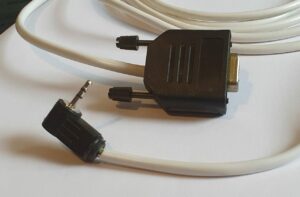
One last method of communication afforded to the 9000 user would be the (at the time) common RS-232 serial port.
RS-232 on the 9000 is achieved through the proprietary connector on the bottom of the device. A PAR-1 adapter is available to provide the 2.5mm headphone jack required for the cable itself. The adapter also provides the barrel jack port by which the (removable) battery can be charged (supposedly this is 12V centre-positive although I find that 9V is sufficient).
Summary
- GSM phone.
- Qwerty keyboard on the inside (including arrows, shortcut keys, ‘help’ key and, around the screen, menu buttons and up and down arrow keys) and numeric keypad on the outside (plus power, cancel, ‘abc’, up and down, #, *, two soft keys and call answer and end buttons).
- Two screens:
- Outside: 1.75″ LCD, monochrome, 50×38 pixels (with some fixed elements), backlit.
- Inside: 4.5″ LCD, 4 shades of grey, 640×200 pixels, not backlit.
- Processor (for PDA): 24 MHz Intel 386EX (32bit, single core).
- RAM: 4 MiB (2 MiB’s for user storage).
- ROM: 4 MiB.
- Mono mic and loudspeaker for normal phone and handsfree use.
- Mini-SIM slot.
- IrDA 1.0 (115200 bit/s).
- Proprietary expansion connector – for power and RS-232 serial (115200 bps) via PAR-1 adapter.
- Removable Li-Ion battery.
Software
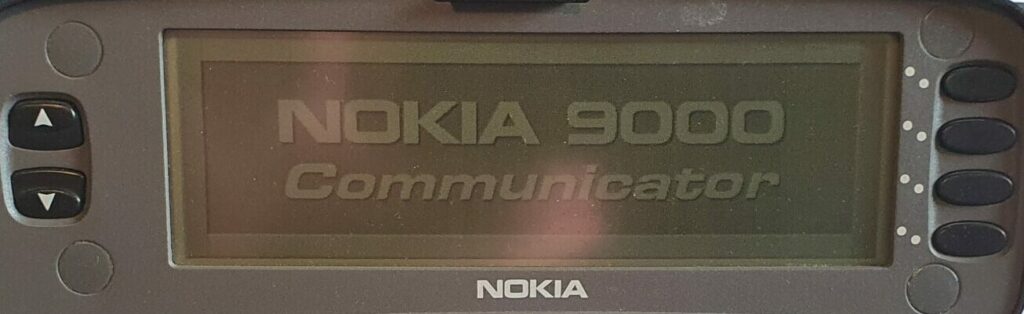
The first two Nokia Communicator models ran the GEOS operating system by Geoworks. The user interface was one of Nokias own devising. Later models in the series were based on Symbian Series 80 with a user interface designed to be similar to that of the 9000.
The 9000 user interface consists of nine primary modes (akin to applications), each entered through an individual button on the keyboard.

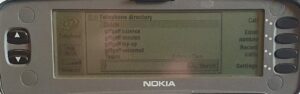
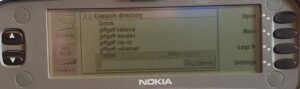
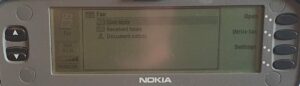
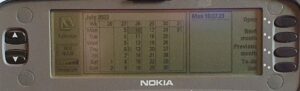
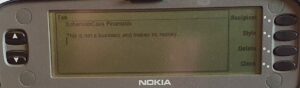
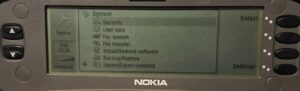
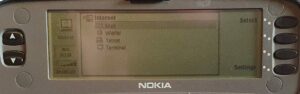
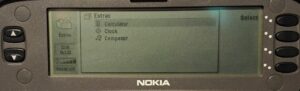
The user interface feels a little thin compared to the likes of the Psion Series 3 or the HP Jornada. They are fully fledged PDA’s though, so it’s not really surprising. Feature-wise, it feels more like one of the many generic and basic offerings that flooded the market around that time (but with a much nicer display). However, being able to make calls, send texts etc. right from your PDA was quite a feature. With a dedicated PDA you have to use IrDA or a dedicated cable to achieve something similar (but that’s nowhere near as seamless).
One thing the 9000 has over those basic PDA’s, more in line with those dedicated, premium PDA’s is the ability to install further applications. I haven’t yet been able to explore this due to my insistence on using Linux and my failure to (yet) find a program that will let me send software to the 9000. I’ll just have to install Nokia’s own software on one of my old Windows 98 machines. Watch this space.
Summary
- Outside OS: Proprietary, probably Nokia’s Series 60.
- PDA OS: Geoworks GEOS 3.0 with Nokia’s own GUI.
- PDA Applications:
- Tel.: Make phone calls.
- Fax: Send, receive ad forward faxes.
- SMS: Send and receive short messages.
- Internet: email, WWW browser, telnet, terminal.
- Contacts: Store names, addresses, phone numbers and all the usual information.
- Notes: All notes in one place (Faxes, SMS, emails, etc.).
- Calendar: Usual appointments, recurrent entries, alarms etc.
- System: Mostly system settings, also fax modem, file transfer, install/remove software, backup/restore, import/export
- Clock: Including alarm and world clock.
- Calculator: 1+1
- Composer: Change ringtones and compose your own.
- Help: This is terse help about most software.
Repairs etc.
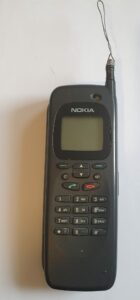
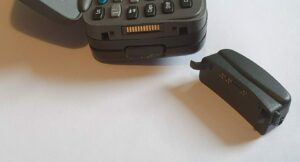
I got my first Nokia Communicator 9000 (and indeed the good one) from eBay as untested. I’ve had quite a lot of luck with untested devices. Possibly, the sellers don’t have the know-how to power the devices – some have proprietary power connectors, so it might not be worth their time and effort. Some, like the one shown here, need a bit more attention – as you can see.
Unfortunately, the innards seem to be a little water damaged on this one, although a bit of cleaning up with isopropyl alcohol got the outer phone to power up. It only got as far as saying “Insert SIM card”. I never got the PDA (inside) working at all.
I like what the previous owner did with the aerial.
To power the device I purchased a PAR-1 adapter, which then allowed me to use a standard power supply with a barrel jack. The data I eventually found indicated that it takes 12V (centre positive) but 9V is sufficient. The adapter and power supply didn’t work.
Some devices like this require a functioning battery before they will show signs of life. To this end I determined the battery connector pins and clipped 7.5V onto the two outer pins (negative towards the centre of the device). It was at this point that I got the outer phone to work.
I spent some more time cleaning the boards and testing the ribbon cables for continuity but found no fault. Unfortunately during my testing I forced the magic smoke out. I worked out that it was a surface mount capacitor that had failed (whether I did it or it was just old, I’ll never know). More about that later…
I’d spend quite some time on it at this point, and given the damage (and dubious looks) I decided to give up. Spotting another cheap Nokia 9000 on eBay did help somewhat. This one (which is the one in most of the photos above) was in much better condition.
This one didn’t have any outward damage (apart from the obligatory scratch). Not that it worked, of course.
When I tried charging the battery (worth a try, even though I didn’t expect much), a horrid smell was omitted. It wasn’t as rancid as that emitted by the other phone, but definitely there. The power supply shot itself off too. Seems to have been a short circuit.
So I opened it up.
Inside, it looked like nobody had been there in over 20 years. It probably hadn’t had anything spilled on it either. A good sign!
You remember my mentioning of a smoking capacitor on the first 9000? Well, on that phone, here was a bank of 5 of them. They were all quite large for SMD capacitors, too. A different one of the five had exploded. Literally. It made quite a mess. Some isopropyl alcohol, a cotton but and a soldering iron got that cleaned up. Unfortunately I had no SMD components of any kind, and no way to put one on the board if I had.
It was at that point that I had a thought. Are all the capacitors connected to ground? Yes. Well that means something. Hang on, I thought, they’re all the same, so are they connected in parallel? Yes! Well, do I need to replace the broken one then? Turns out I didn’t! Being in parallel, the values of the capacitors are simply added together and the total capacity of 4 rather than 5 is sufficient. It may be that some functionality doesn’t work properly but I have yet to discover what that is.
Having a Nokia 9000 usable by plug-in power supply is nice, but having one working by battery is better. Buying a working one is nigh impossible (and very costly). So I decided to ‘refurbish’ the cosmetically inferior one (I didn’t want to damage the nicer one unnecessarily).
The clip which holds my earlier battery in place was damaged and glued back together, making it difficult to remove. I eventually did it (obviously). I then loosened some of the glue with a knife to allow it to be pressed (a bit – but just enough). Then I took it apart (with some effort). I bodged in some spare Li-Ion cells I had lying around where I’d ordered the wrong ones by mistake. They weren’t quite the right size but I carved away some of the plastic to make them fit. That’s not visible when the battery is attached to the phone though.
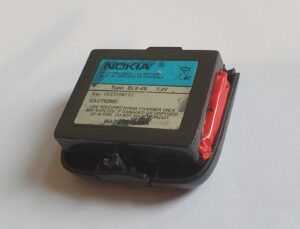
Functionally, it works well enough, although it needs charging daily (no worse than a modern smartphone!). Even so, I would not recommend messing with Li-Ion batteries unless you know how to do it safely!
Summary
This is the first phone Nokia called a Communicator. The hardware gets smaller in subsequent models and the software gets more refined – even leaving GEOS for their own Symbian Series 80, in my opinion a better operating system.
The outside phone is a phone much like any other Nokia feature phone. Nothing unusual to see there. The inside PDA is obviously where you want to focus your attention. It’s nice to have that big screen and qwerty keyboard and the feeling is definitely that of a more premium offering, but does it justify the high price it was sold for? Well, almost. The hardware was good (if bulky and heavy) with IrDA and RS-232 as well as GSM. The built-in software was a bit basic in scope though (but quite functional) – the availability of third-party apps made this less of an issue.
Not bad as a first attempt, but later models are definitely an improvement.
To-Do
- Install the sync. software on Windows 95.
- Experiment syncing calendar and contacts.
- Experiment with additional software.
- Try again to get IrDA to do something.
Gracias por esta reseña, saludos ! from Chile, estoy experiementando con un telefono de estos.!
Have fun with it! I’m not an expert but ask if you need advice or help.
No logro cargar la bateria…
With many devices that old, the battery will be long dead. Some devices use batteries that are still being made, but the 9000 is not one I’m afraid. I had to bodge something together on mine.
Hi Iain, I don’t suppose you would be able to find out which pin of the PAR-1 supplies voltage to the phone? I have acquired a 9000 and refurbished the battery, but because the PAR-1 isn’t available to buy anywhere my only choice currently is to charge the battery separately!
Looking into the phone, the two contacts on the right are GND and the two on the left (the end nearest the hinge) are +12V according to my multimeter.