
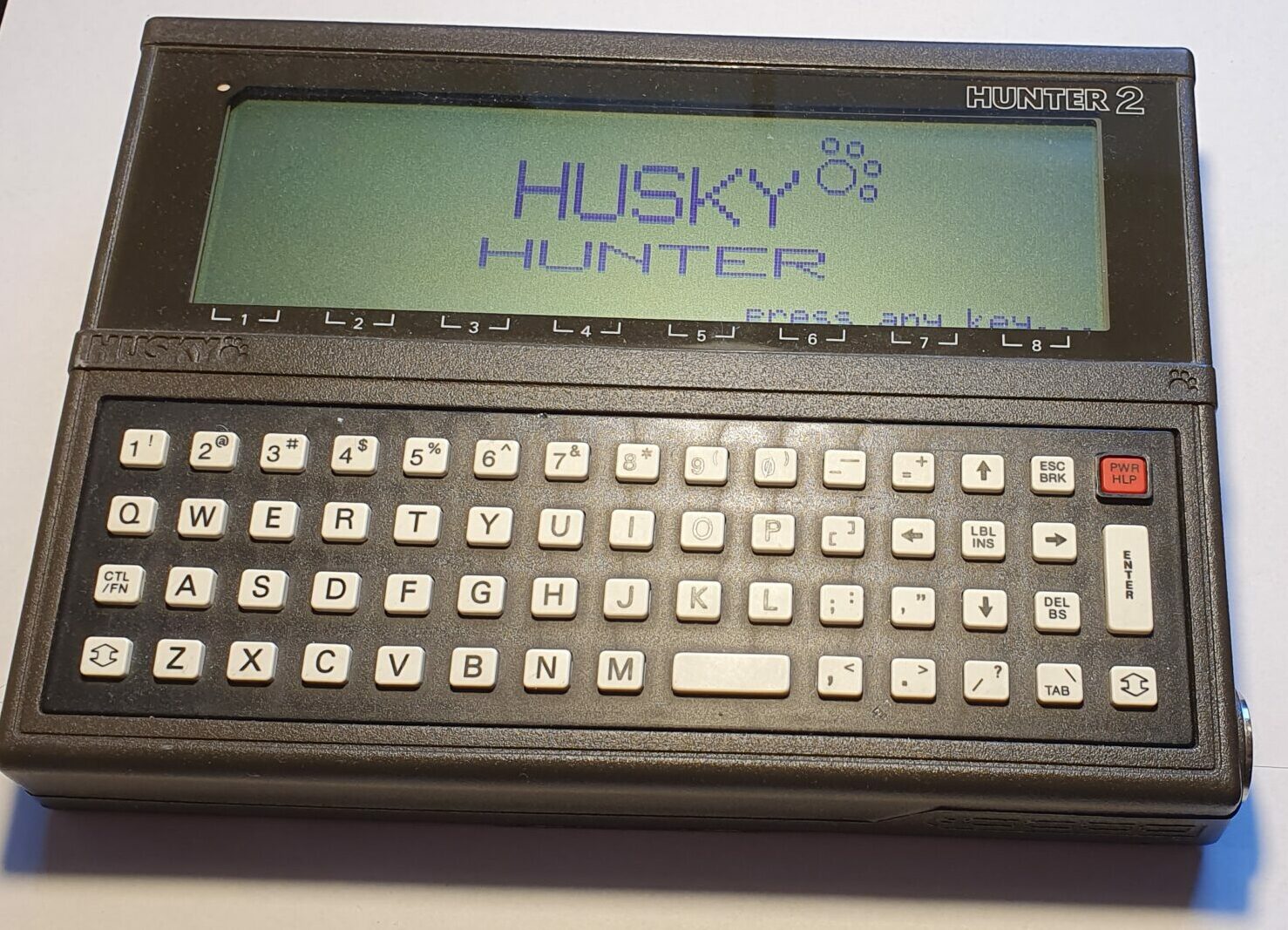
Husky Hunter 2
Husky Computers made some of the earliest portable computers. I have a Hunter 2. Like most machines of a hand-held, sub-notebook size made around the same time (probably 1984 – I can’t be certain), and some later models too, it runs off AA batteries. Unlike most contemporary computers it’s built like a tank.
Hardware
As I mentioned already, this thing is built to be extremely rugged from fairly solid metal and is accordingly 1.25kg heavy. However it’s only slightly larger than a sheet of A5 paper, at 155x215mm, but 35mm thick. The thing is sealed with a rubber gasket too making it watertight (although I’m not sure how well tested is it for that). I’ve heard that they’ve been on Navy ships and in the Army.
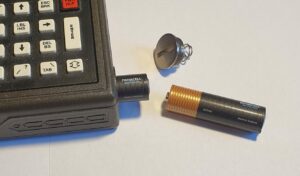
The Hunter 2 is powered off four AA batteries held in place with a screw cap. When the batteries run flat, or when changing them, there is an internal rechargeable battery to retain the memory (it has a RAM disk rather than flash).
I use alkaline batteries, but Ni-Cd’s can be used and a charger can be plugged in. I’m still using the batteries I first put in it and it’s still running strong.
According to the manual: “The charger unit is fully protected… if unlikely fault conditions arise which cause overheating to the charger, it will self destruct, quietly and safely”.
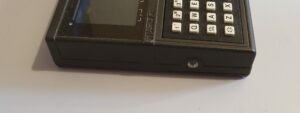
There’s not much to see on the left hand side of the Husky 2 apart from a threaded port. I’ve seem one with a case and shoulder strap which attaches here and similarly on the other side.
The right hand side of the machine, however, holds more interest. This is where you find the screw-in plug that holds the batteries and the 25-pin D-sub connector that is the RS-232 serial port.
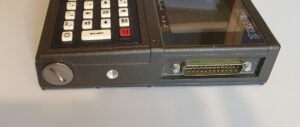
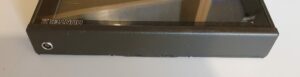
On the back of the Hunter 2 is a 4-pin mini din connector known as the LEMO (I have no idea what this stands for). This connector is intended for connection to a barcode wand, or possibly other devices.
The keyboard had calculator-style hard plastic keys pressing on a membrane. They have a similar mushy feel to a calculator but the thing isn’t terrible.
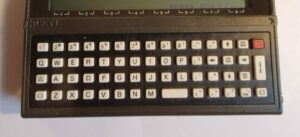
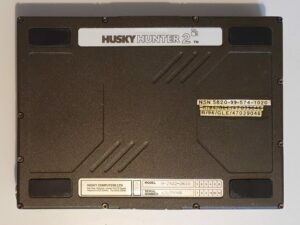
The Hunter 2 is powered by a NCS800 processor, which is Z80 compatible (with some extensions) and the machine came with different configurations of RAM and ROM. The underside has a label indicating that mine has 352K RAM. Internally there’s space for a RAM extension board and further ROM’s.
Summary
- CPU: NCS800 (Z80 compatible) running at 4MHz.
- RAM: 352KB (this model).
- ROM: varies.
- Display: 240×64 pixel monochrome LCD (40 characters x 8 lines of text).
- 25pin RS-232 serial port.
- Power: 4xAA batteries plus internal rechargeable backup.
- 4 pin mini-dim LEMO connector (for barcode wand etc.).
- Real time clock.
- Very solid construction.
Software
The Husky Hunter 2 OS is called DEMOS which is a version of CP/M, and as such should run most CP/M software. I’m not sure if this is the case, though. The display is 40 characters wide x 8 lines. This isn’t normal for CP/M, so the Husky 2 has an internal memory of the whole 80 column, 25 lines and allows the user to scroll the screen to see the rest of it.
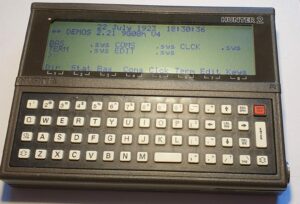
My model only has a small amount of build in software although there is space for more internal ROM’s.
Along the bottom line of the display are eight software definable actions. These can be activated when the corresponding number key is pressed in conjunction with the CTL/FN key. In DEMOS they enter commands as if they had been typed at the keyboard.
One of the internal programs on my Hunter 2 is BASIC. This is pretty staple for machines of the time, although it seems to have dwindled out during the 1990’s in favour of more utilitarian software.
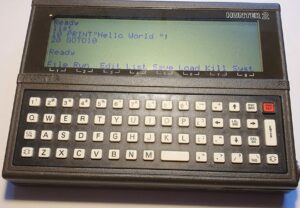
The other software available on my machine includes a terminal emulator, simple serial port transfer, text editor and software to set the real time clock.
Summary
- OS: DEMOS 2.21 (CP/M).
- BASIC.
- Terminal emulator.
- Sim[;e serial transfer programs.
- Text editor.
Repairs etc.
When I received my Husk Hunter 2, it didn’t power up. I had read online that the internal rechargeable battery needs to have some charge and it’s recommended to leave some batteries inserted and try again later. It didn’t help so I opened it up.
The rechargeable batters is a standard Varta type, soldered to the main board. Anyone repairing vintage PCs (or watching such activities on YouTube) will know the horrors that an ageing one of these can cause. I was lucky in that regard. I de-soldered it and replaces it with a double-AAA holder on some wires. There was enough room inside the case for it since I didn’t have a memory expansion board in my Hunter 2. That fixed the problem right away!
The other thing that I learned from ‘tinterweb was that a flat internal battery jumbles up the RAM disk and it needs reformatting. You hold X and P and PWR.
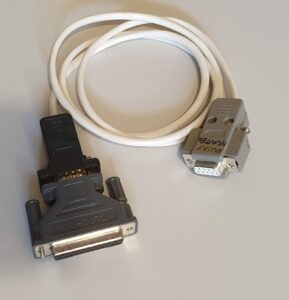
In order to get other software onto my Hunter, the only way to do that is with a serial cable. The wiring diagram of the 25-pin port is in the manual (It’s the same as a standard 25-pin RS-232 port), so I made one.
Summary
The Husky Hunter 2 is made to stand being throw out of the top floor of a skyscraper, submerged in the bilge water of a Navy ship, or being ridden over by a tank (at least the bilge water story is true – as far as any story on the internet can be said to be true). It’s a beast!
The serial terminal works well enough (but doesn’t emulate any particular type of terminal’s control codes) and the batteries last for ages, so I can see it being useful for that.
The built-in software can be extended, and so can the RAM and the backup battery is quite a large capacity.
This was definitely built to be a versatile rugged portable computer and it did that really well!
To-Do
- Try some more CP/M software on it.
Mám REC 500 od roku 1995 a slúžil mi veľmi dobre. Žial neodbornou manipuláciou zamestnanca bol z neho vymazaný software pre geodetické práce v spojitosti s prístrojom Elta 3 ( ktorý dodnes výborne slúží ). Chcel by som vedieť, či je možné znovu nainštalovať program REC 500, ( za akú cenu ) alebo kúpiť registračné zariadenie Husky hunter rec 500 ( za akú cenu ).
Ďakujem a prajem pekný deň.
I’m afraid I have no knowledge of REC 500. Sorry.