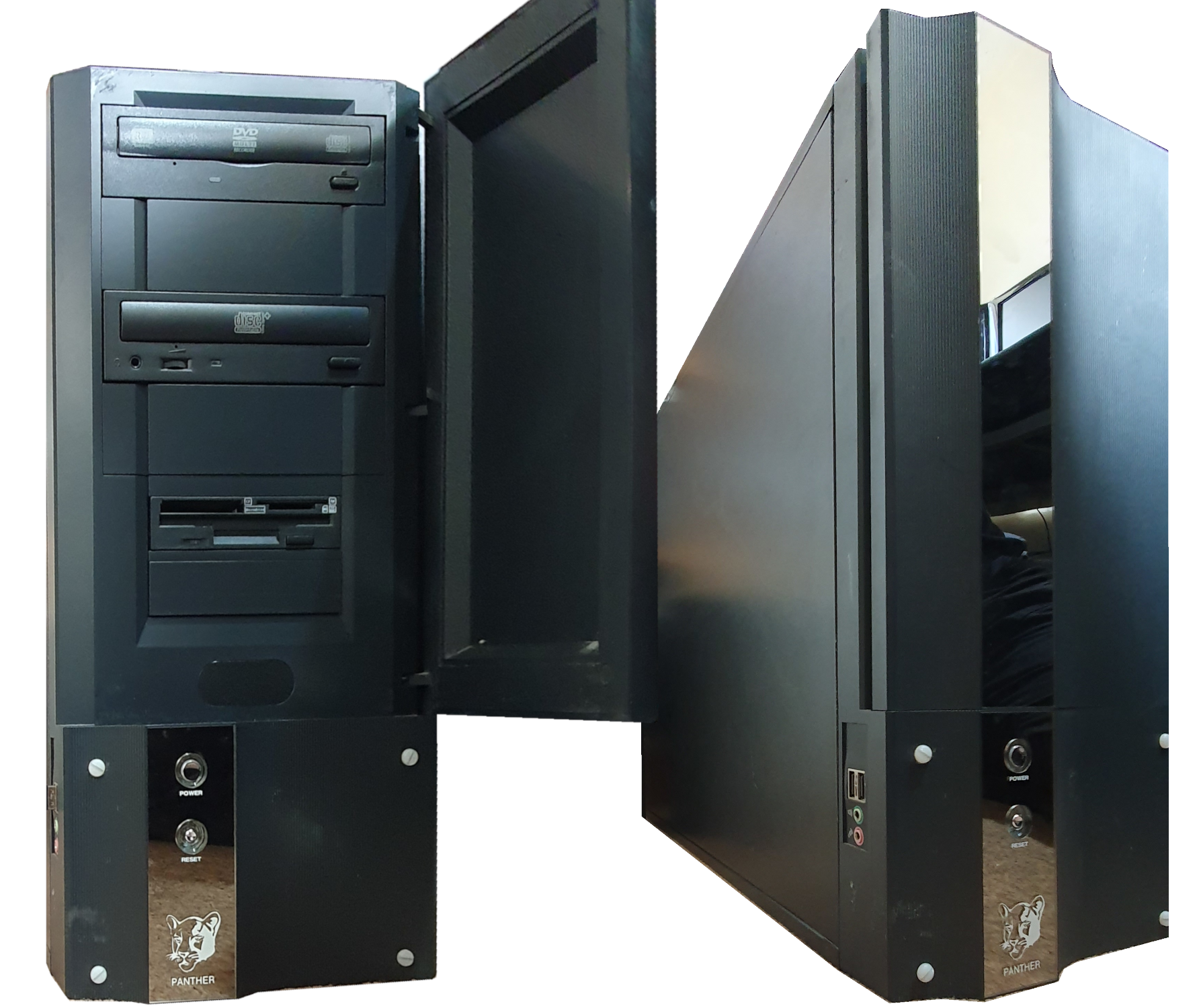
Castle Technology Iyonix Panther
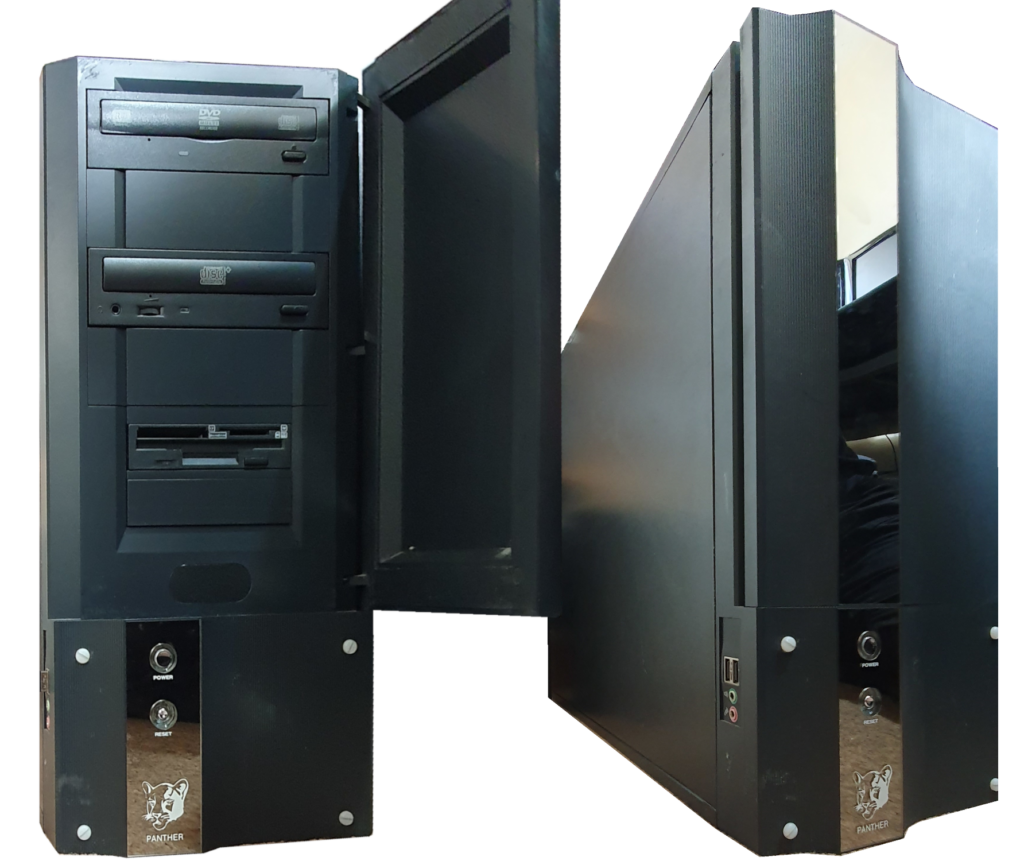
Castle Technology began as a producer of ARM computers, manufacturing Acorn’s RISC OS computers for them. Around 1999, when Acorn unfortunately came to an end and was broken up, Castle bought the rights to continue production of the RISC PC and A7000+ computers under the Acorn brand. In November 2002 they developed and released their own RISC OS machine, the Iyonix pc.
There were a few versions of the Iyonix pc produced, the motherboard of each being identical between them. As well as the ‘classic’ mini-tower, there were the desktop X100 series, X300 series towers, ARIA Cube (X400 series), the full height tower Panther (the model I have) and the Panther TC. The wayback machine has a copy of their website with machine details.
Hardware
The processor is a 600MHz Intel XScale 80321 ARM – the first desktop machine to use an XScale processor. Unlike earlier RISC OS machines (the Risc PC and the Archimedes), the Iyonix motherboard was ATX compatible, in shape, size and mounting holes, as well as its power connector. The three available cases were all ATX form factor as well as the power supply. Rumour has it that the power supply needed to be better that that specified by the ATX standards.
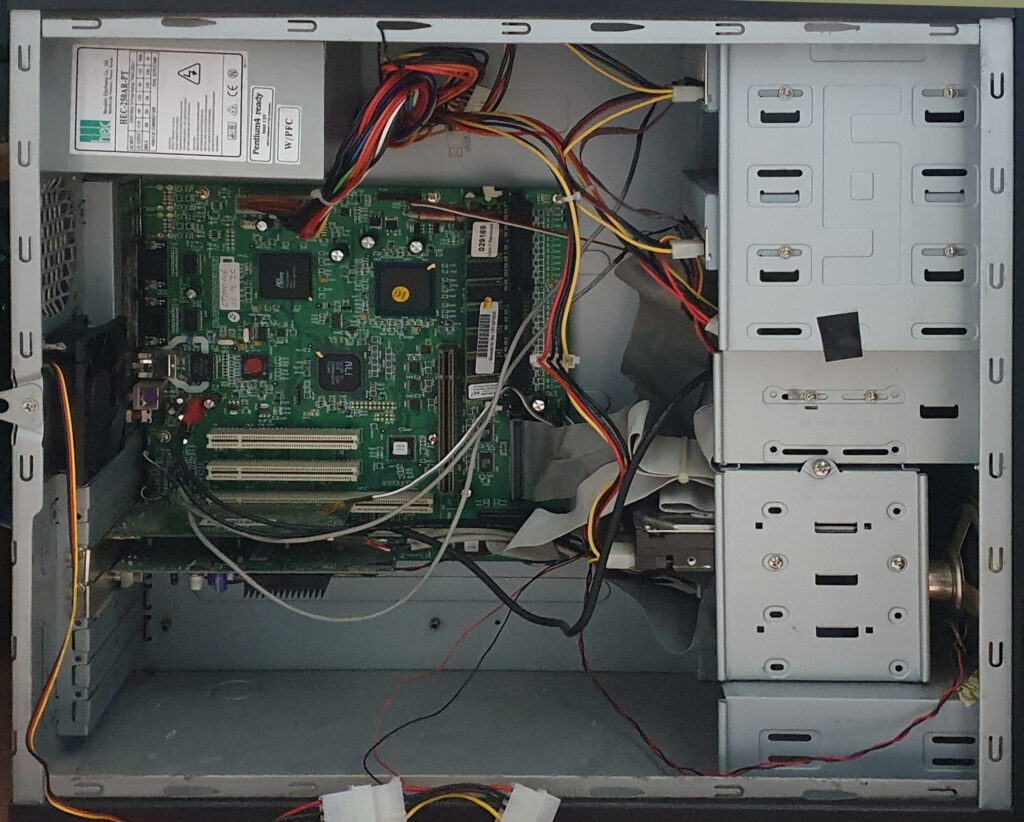
The standard case featured slots on the back for PCI and Risc PC style podules. However, the Panther case does not have the cutouts for podules. The motherboard has a podule backplane socket, so a riser is all you need to electrically connect Risc PC podules. Software shouldn’t be a problem either. The Panther case also has room for podules too (if you cut some holes in the back – which I don’t want to do).
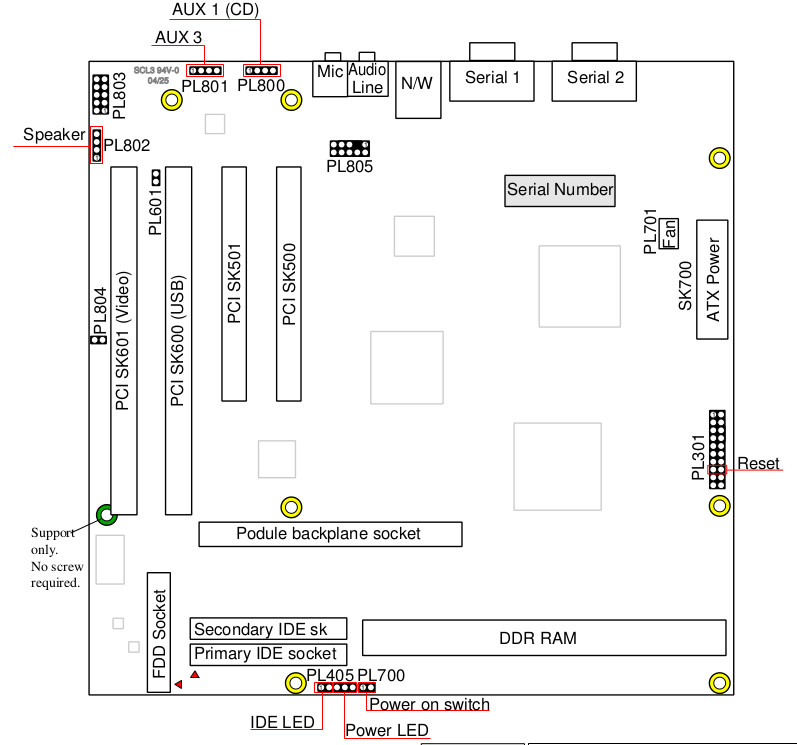
There are two default PCI cards:
- Nvidia GeForce2 MX graphics card,
- USB card.
The hardware built onto the motherboard includes:
- two 9-pin RS232 ports,
- one 10/100/1000 Mbit ethernet port,
- four PCI slots (2 x 64bit and 2 x 32bit),
- a connector for a RISC PC-compatible 2 podule riser,
- one RAM slot for DDR memory,
- one floppy connector,
- a ROM image on 4MB flash memory,
- Real Time Clock,
- System settings on EEPROM (like PC CMOS),
- audio in and out sockets,
- inputs for front headphones and mic,
- 2 aux audio connectors (for CD-ROM audio),
- speaker connector (for full mono sound),
- a Risc PC compatible audio socket.
The Nvidia card has 32M SDR RAM and up to 32 bit colour and 2048×1536 pixels. It only has one VGA output. The USB card provides two external ports and internal ports for the two front sockets and two for the card reader built into the floppy drive. I’m not sure if the card reader floppy was a standard part with my Panther although the Panther TC and later Iyonix machines came with a card reader as standard.
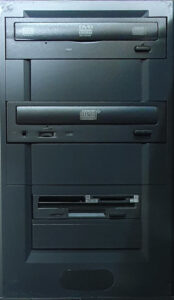
Along with the floppy/card reader, my machine also came with a CD R/W and DVD R/W drive. I don’t think two optical drives are standard for the Panther though – just the CD R/W drive.
There are another couple of 5.25″ front bays and another 3.5″ bay. Internally, there are two 3.5″ drive slots in a removable cage – one of which contains the 120M IDE hard drive (which seems to be the size shipped with the Panther, although I doubt the drive in mine was original).
Software
The default operating system for the Iyonix is RISC OS 5, developed by Acorn Computers. Upon the break up of Acorn, Pace acquired the rights to RISC OS for use as RISC OS NC (Network Computer) in a range of set-top boxes, like the Internet TV (I have a Bush IBX200 which was made by Pace). Castle bought the rights to RISC OS from Pace in July 2003 and in 2006 worked with RISC OS Open to release the source code under a partly-free license and subsequently under the Apache 2.0 license.
With RISC OS, the entire operating system is available in ROM so the machine is fully bootable from ROM to a desktop without a disc (floppy or hard). With the earlier Acorn Archimedes computers, there was no built-in hard disc but a 3.5″ floppy. The floppy was not necessary to boot the machine but that (or the hard disc drive) could contain replacement or additional parts of the OS (in the form of modules). Being a newer machine, the Iyonix has a hard disc containing the standard !Boot which contains such modules and user preferences.
Misc
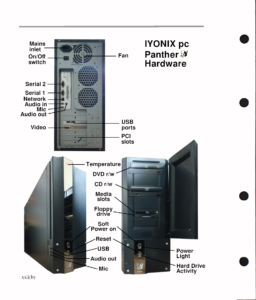
I got a user guide but for a different model, so I put together a replacement page for the hardware.
Reading your work felt like discovering a new language — one that speaks directly to the heart while still offering intellectual depth.
Thankyou!
I grew up with Acorn kit, back when it was new. I used to tinker with the BBC micro and the Archimedes A3000.
I got rid of them some time ago but recently got back into retro technology. Look out for my Acorn A4 and BBC Master pages coming soon.
Edit: Acorn A4
Edit2: BBC Master
I have one of these, do you have any idea how many were made? I can’t imagine that many!
Cheers,
Steve
No, I’m afraid not. They only made one motherboard I believe, and stuffed it into a few different cases making it look like there were more.