
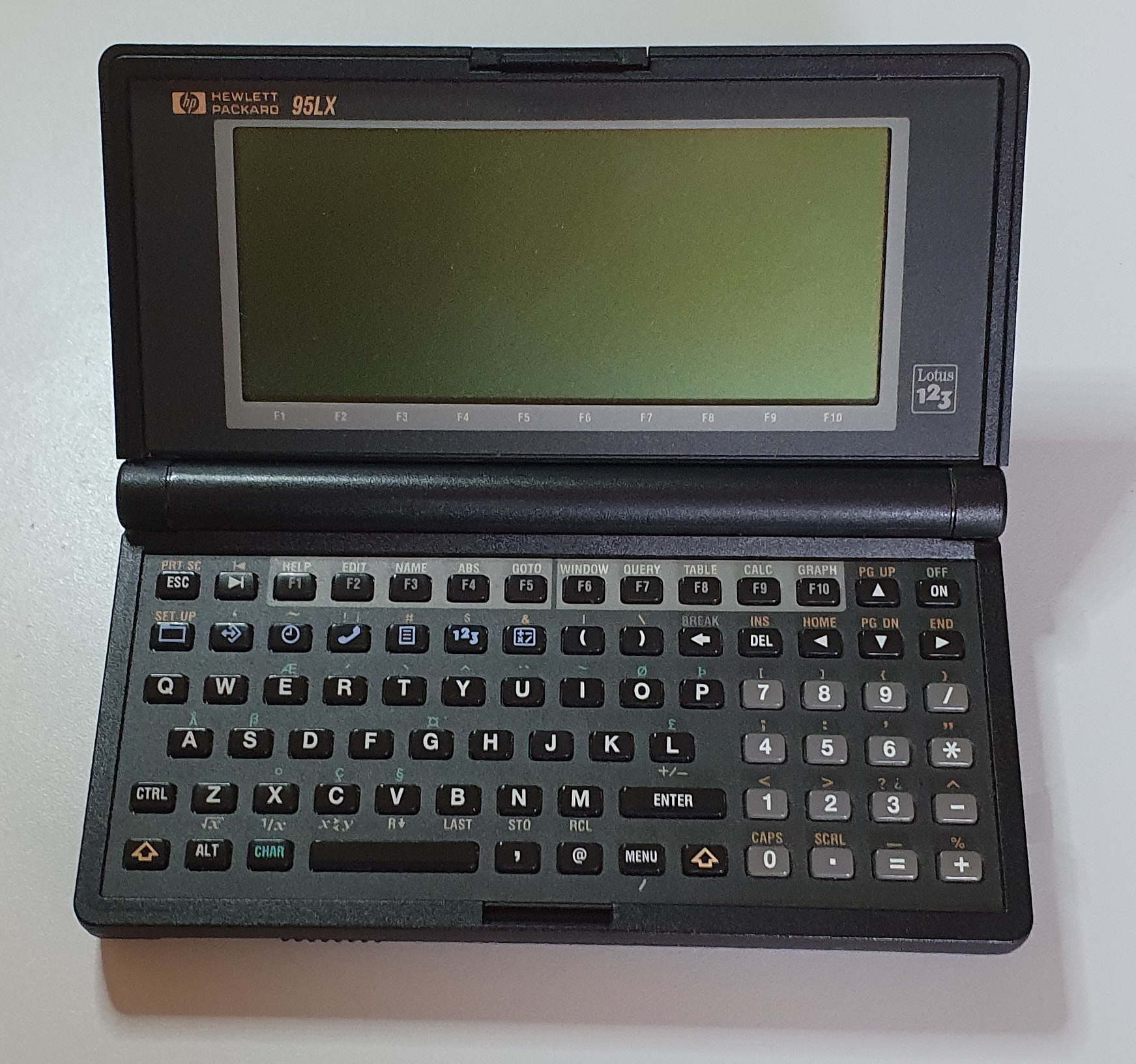
Hewlett Packard 95LX
The 95LX from Hewlett Packard was their first DOS-based handheld machine, released in 1991. It’s very similar in size to Psion’s Series 3 devices (although less stylish), but runs a much more standard operating system (but far less stylish).
It runs MS-DOS version 3.22 on a screen which is only quarter-CGA sized, but apart from that it is PC-compatible.
Hardware
Hewlett Packard’s 95LX was the first of three DOS machines – the others being the 100LX and 200LX. All three use very similar cases and keyboards. After these came more in the LX and then Jornada series, but these are Windows CE palmtops with a different style of case, keyboard and screen.
The processor on the 95LX is a NEC V20 running at 5.37MH. It’s fully compatible with Intel’s 8088. Mine has 1MB RAM, there is apparently a 512K version, too. Being a DOS machine it requires a disk to run and the built-in DOS and software is on ROM. Writable storage is also required for user data and this is a RAM disk. The size of the RAM disk is taken from the RAM that DOS gets to use for programs, and you can set this.
There is a PCMCIA card slot which can take RAM cards that act as disk storage. RAM cards are rare and expensive these days, flash being more common and less expensive. They don’t work in the 95LX, though.
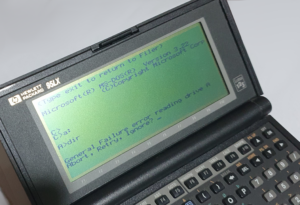
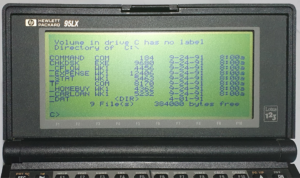
The screen on the 95LX is 16×40 characters, or 240×128 pixles, in monochrome (with no shades of grey). It’s not back lit, but is remarkably clear in reasonable light.
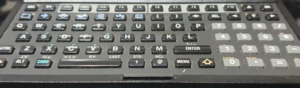
The keyboard is a clicky calculator kind, ideal for thumb typing. Not terrible for typing on with both hands either, unless you have fat sausage fingers.
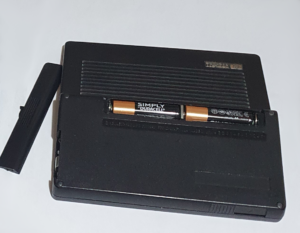
It seems that many hand held machines around the early ’90s ran off 2 AA batteries, the 95LX was no exception.
It’s storage is a combination of ROM, for DOS, and a RAM disk for personal storage. When your AA batteries go flat, in order to preserve the RAM disk there is a CR2032.
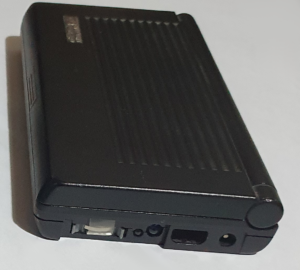
On the right side is where you’ll find the CR2032, and also an IRDA port, a proprietary serial port and the DC power jack. It works in either polarity between 7.8V and 12V – I used 9V. There is meant to be a cover to help filter out non-infrared light, but this is missing on mine. I also don’t have an original serial cable, but the connections are simple and one can easily be bodged (see later).
Summary
- CPU: 8088 compatible NEC V20 @ 5.37 MHz
- RAM: 1MB (there is also a 512K version)
- ROM: 1MB
- IRDA (possibly up to 115.2 kbit/s)
- Monochrome LCD screen 240 x 128 pixels (40 x 16 characters), no backlight
- Built in speaker for beep sounds
- Power: 2 x AA, CR2032 RAM Backup, external power jack
- PCMCIA for RAM cards (doesn’t handle flash cards)
- RS-232 compatible serial port with proprietary connector
Software
The 95LX runs DOS 3.22, which you can call up a command line for. By default it presents the user with a set of applications, most of which are started by pressing dedicated blue command buttons. The TigerFox game is probably the only built-in that doesn’t have a dedicated button.
Multiple applications can be run simultaneously along as you have enough memory. Most of the built-in applications respond to F1 to provide pretty good help.
Filer
The filer application is similar in function to Norton Commander. You can display one or two lists of files, copy or move files ans run or edit files.
The filer can also display remote files over the serial port or IRDA port. The protocol used (according to the internet) is proprietary. You can also transfer files using the datacomm application instead, but this won’t be as integrated.
Apparently there will always be enough memory available to run the filer.
Set Up
Pressing SHIFT and Filer starts up the set up program.
Set up allows you to configure the system, surprisingly. In it you can set the time and date, internationalisation options, volume, screen contrast and other things. You can see the battery level from here too.
The most interesting setting is ‘System’ on the menu. In here you can set the Memory ratio between Syst and Disk. Disk is the size of the RAM disk and Syst is the amount of memory DOS gets to use.
Datacomm
Datacomm is a terminal emulator, capable of running in VT100 or ANSI mode or something known as ‘Map’. Map mode is for setting custom mappings.
You can set the serial port baud rate (up to 57600), stop its and parity. You can alternatively use the IR port at 2400 baud and this cannot be changed, although the parity and stop bits can be.
File transfer can be achieved using Kermit, XModem or text mode.
Appointment Book
This is a fairly standard application for a PDA and this one is a reasonable implementation except that the understanding of repeating entries is limited to weekly-, monthly-, or yearly-repeating. You can set the start and end time, alarm and lead time (advance warning of upcoming appointments) and notes for each item. To repeat, you must switch to the appropriate view mode first, then insert a new item – it will show up in the daily calendar view after you’ve done this.
The program also has a to-do list. An entry can have a priority and a due date. They don’t show in the daily view though, which is no hardship.
You can also cut/copy and paste appointments and to-do’s, and there is a stopwatch and timer.
Phone Book
The other important feature of a PDA would be the phone book. The one on the 95LX is fairly simple but contains just what you need. An entry just contains a name, telephone number (just one) and an address (again just one). You can copy and paste and then edit the name to get another number or address though.
You can ‘Find’ and entry, of course. One nice additional feature is ‘Only’. This allows you to show only entries matching whatever string you enter (which can be in the name, number or address field).
Memo
The memo application is more like a text editor. It displays fonts at fixed spacing and shows newline, tab and page break characters. By default the tab spacing is set to five characters, which is an odd choice, but you can set it. You can also set the column at which it word wraps.
Lotus 1 2 3
This is the application that the 95LX has stamped right on the plastic next to the screen. I was the most common spreadsheet of the mid 1980s to early 90s and runs in DOS, usually on a full sized desktop machine (which the 95LX might as well be).
Calculator
Hewlett Packard made a lot of dedicated calculators, so it’s not surprising that the calculator application is very sophisticated. Of course, you can perform basic maths on it just like you can in any calculator.
It performs graphing functions, solves simultaneous equations. It even connects to a cell in Lotus 1 2 3 to perform what the help calls ‘what-if solutions’. It’s so sophisticated that I found it quite daunting.
TigerFox
This is the only built-in game. It doesn’t have a dedicated button but you can launch tf.exe from the Filer or from DOS.
I don’t fully understand the game concept because of the lack of built-in help, which every other application seems to have.
Summary
Like Atari’s Portfolio, the 95LX is a DOS machine with built-in organiser software. It’s a newer machine with better software and hardware but performs a similar task. The software is quite reasonable and it performs the job of PDA well. If you want a scientific calculator, it performs that function well too, although that would require you to read the manual!
I haven’t tried running DOS programs on my 95LX, except TigerFox which I believe runs in ordinary DOS mode. It has been tailored for the screen size, though, and I believe this is a limitation of running other DOS software.
The battery life is quite good considering it runs on a couple of AA batteries. The screen is quite clear too, even for a machine of its age, although it needs external light to be visible.
I recently acquired a 200LX and that is quite a step up, although it also runs on 2 AA batteries and has a very similar size and appearance. There is also a 100LX but I currently don’t have one of those.
Repairs etc.
When I got my 95LX it was working just fine, although missing the battery cover and the window that covers the IR LED/sensor and backup battery. I’ve since acquired a battery door but not yet the window.
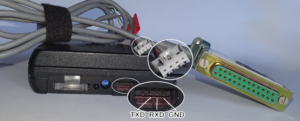
The other thing missing was the serial cable. Since the wiring was simple, I bodged one together.
The serial port has only receive and transmit data but no handshaking.
To-Do
- Get some DOS programs over the serial port and try them out.
- Test the IR port.
- Try to find something that works in the PCMCIA socket.